
বিভিন্ন থিমের কারণে, আপনি এগুলির মুখোমুখি হতে পারেন সামগ্রীর স্টিকি টেবিল আপনার শিরোনাম মেনু বা পাদলেখ দিয়ে ওভারল্যাপিং। যাহোক, BetterDocs gives you the flexibility to increase the z-index of Sticky TOC so that it doesn’t overlap any section of your WordPress Knowledge Base website.
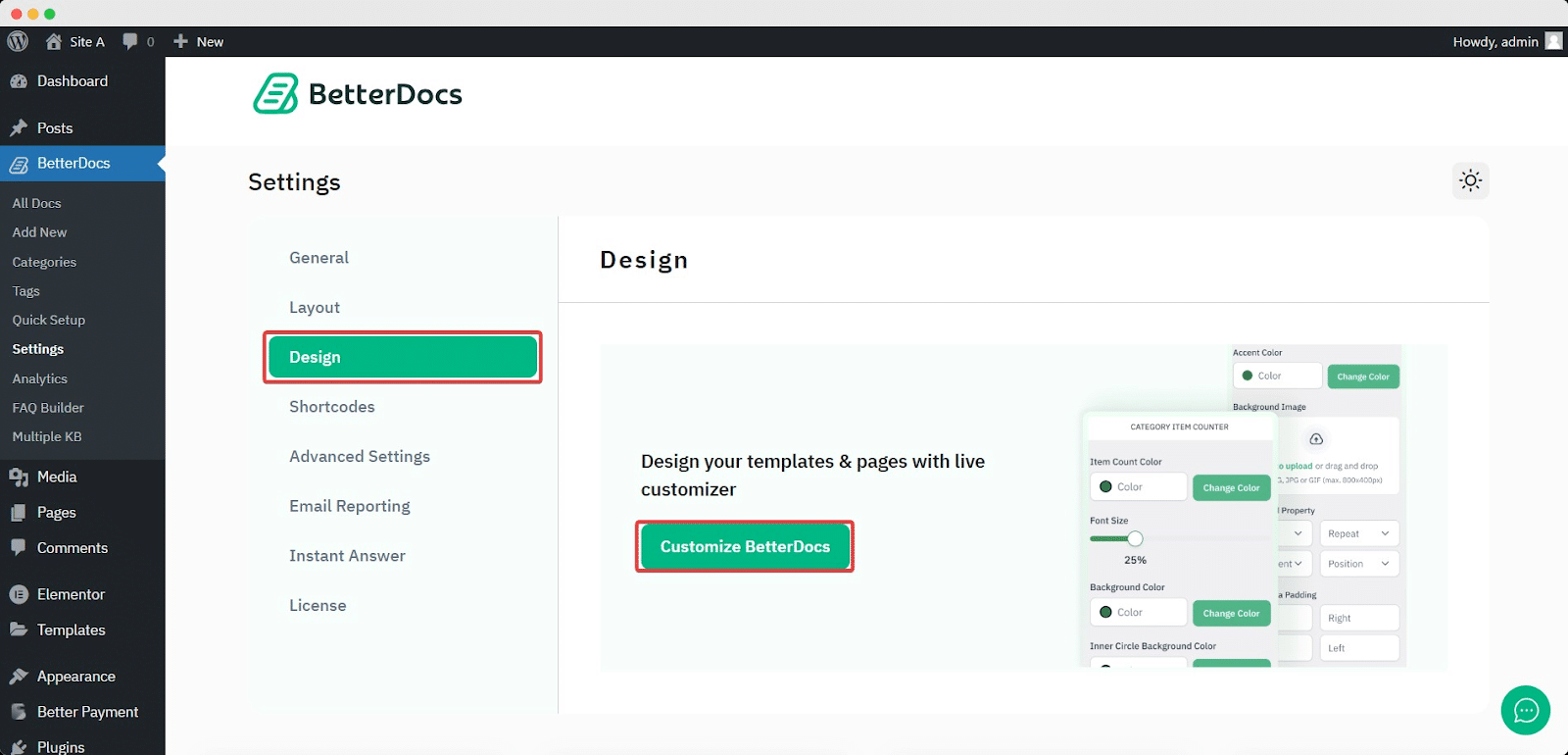
To increase the z-index of Sticky TOC, go to your WordPress ড্যাশবোর্ড -> BetterDocs -> নকশা -> কাস্টমাইজ করুন.
Afterwards, go to the ‘Single Doc’ page. From the ‘Table of Content’ section, you will find options to increase the z-index of the Sticky Table of Content. Simply use the ‘Sticky TOC z-index’ option to increase the value, and you will be good to go.
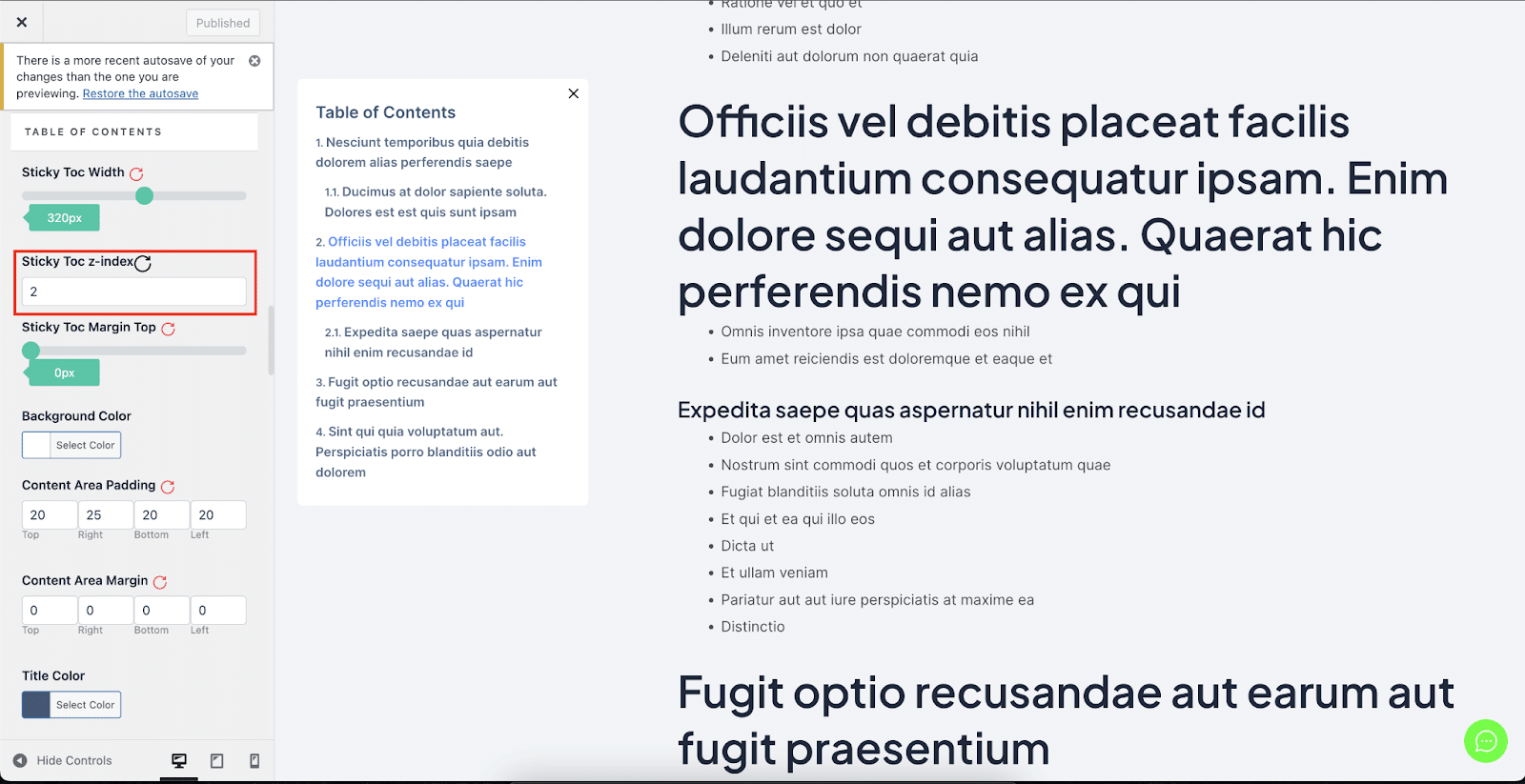
এভাবেই আপনি এড়াতে পারবেন সামগ্রীর স্টিকি টেবিল BetterDocs তে আপনার WordPress ওয়েবসাইটের অন্যান্য বিভাগের সাথে ওভারল্যাপিং থেকে।


