
BetterDocs offers the white-labeling option. So, you can easily Branding entfernen für jedes Paket in BetterDocs. Für einen einzelnen Artikel können Sie ihn in den Layouteinstellungen deaktivieren.
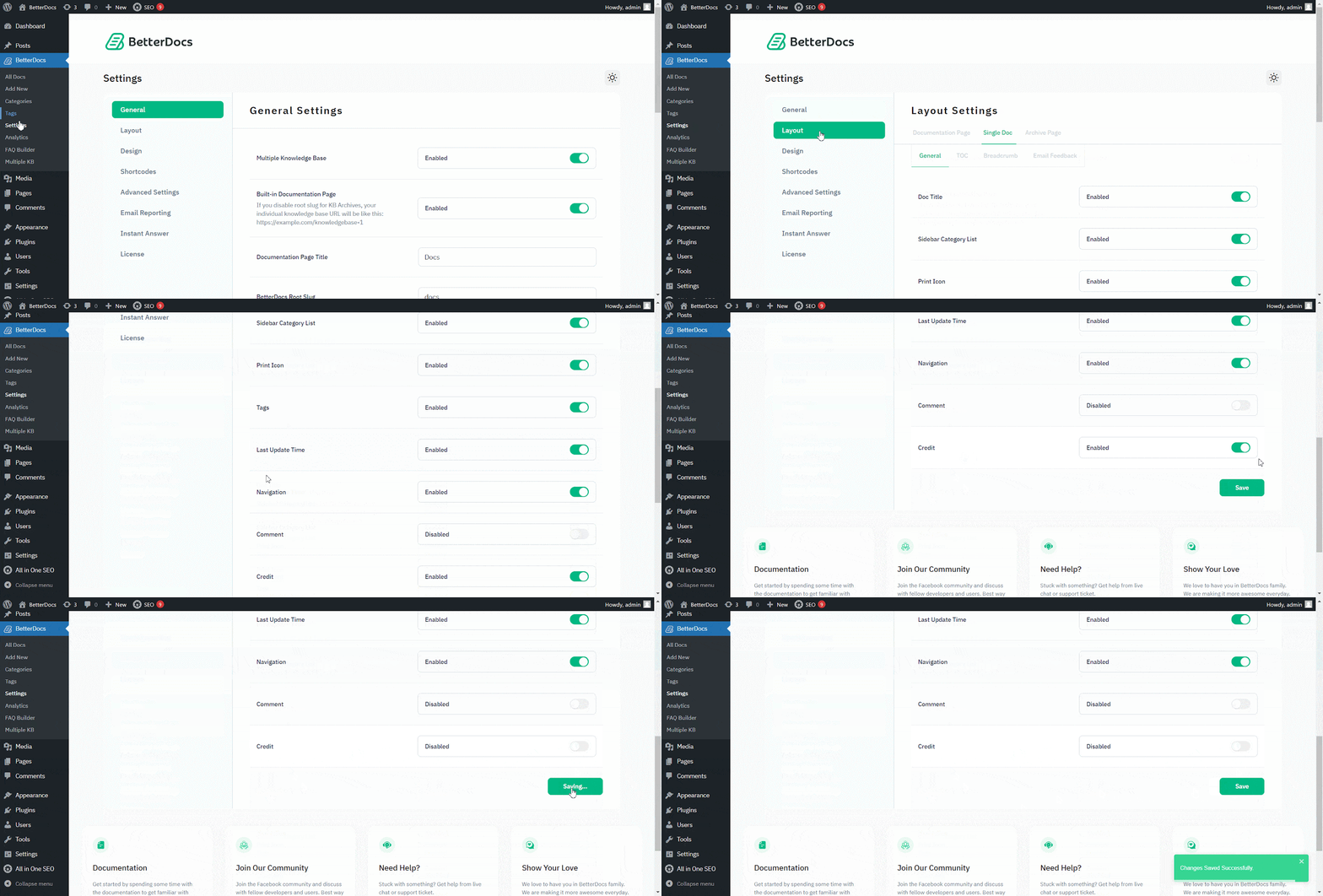
Gehe zu WordPress Dashboard → BetterDocs → Settings → Layout → General. Von the 'Allgemeines' Abschnitt können Sie Guthaben von hier aus deaktivieren. Stellen Sie sicher, dass Sie auf drücken 'Einstellungen speichern'.
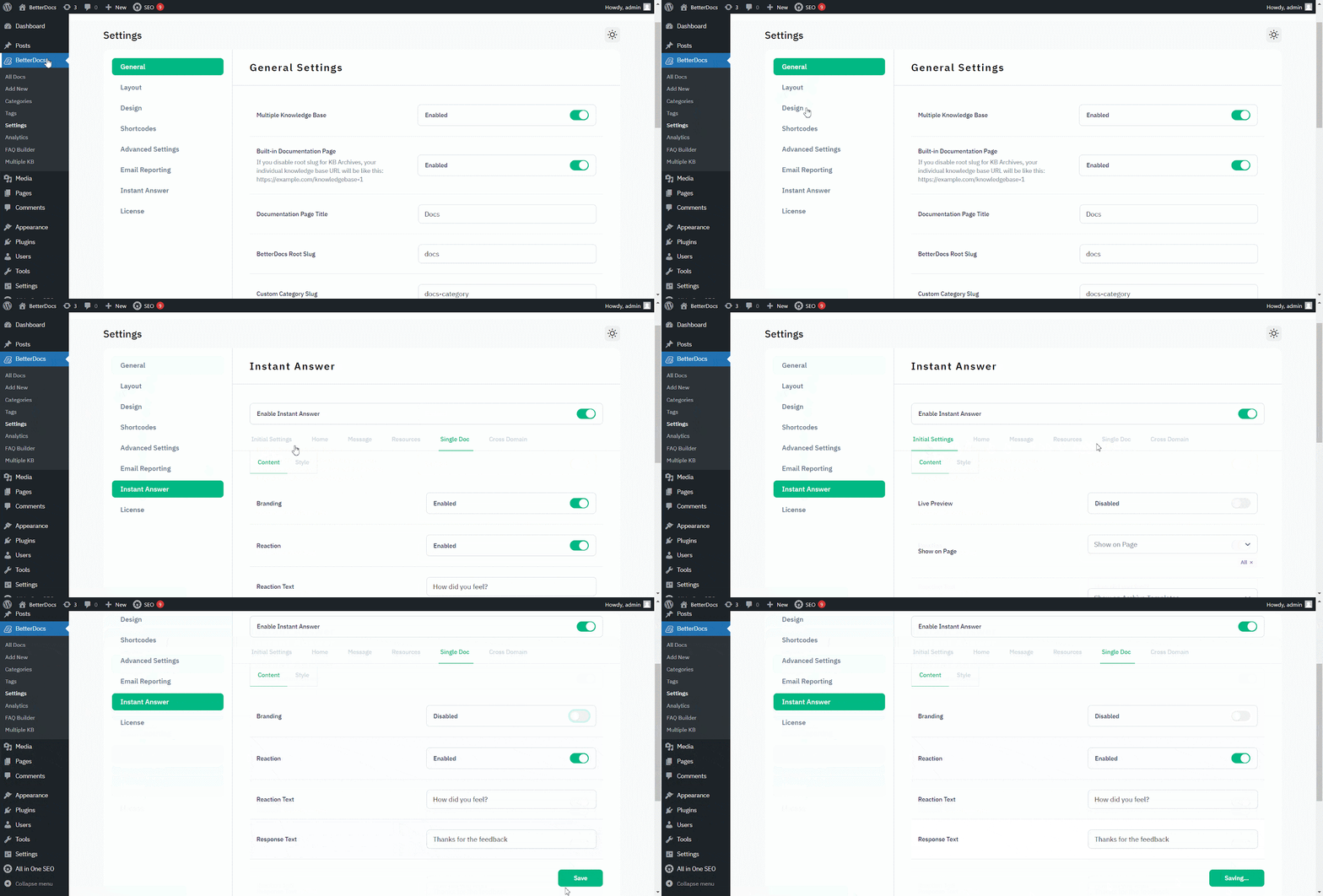
Zu Branding entfernen von "Sofortige Antwort", gehe zu WordPress Dashboard → BetterDocs → Settings → Instant Answer → Single Doc.
Dann von der "Single Doc", make sure to turn off the Branding toggle to make it ‘Disabled.’ Schlagen Sie auf die 'Einstellungen speichern'. Das BetterDocs-Branding wird daher aus Instant Answer entfernt.
That’s how you can simply remove branding within a few steps. Getting Stuck? Feel free to contact our dedicated Support-team für weitere Hilfe.


