
Aufgrund unterschiedlicher Themen können Sie auf a stoßen Sticky Inhaltsverzeichnis Überlappung mit Ihrem Kopf- oder Fußzeilenmenü. Jedoch, BetterDocs gives you the flexibility to increase the z-index of Sticky TOC so that it doesn’t overlap any section of your WordPress Knowledge Base website.
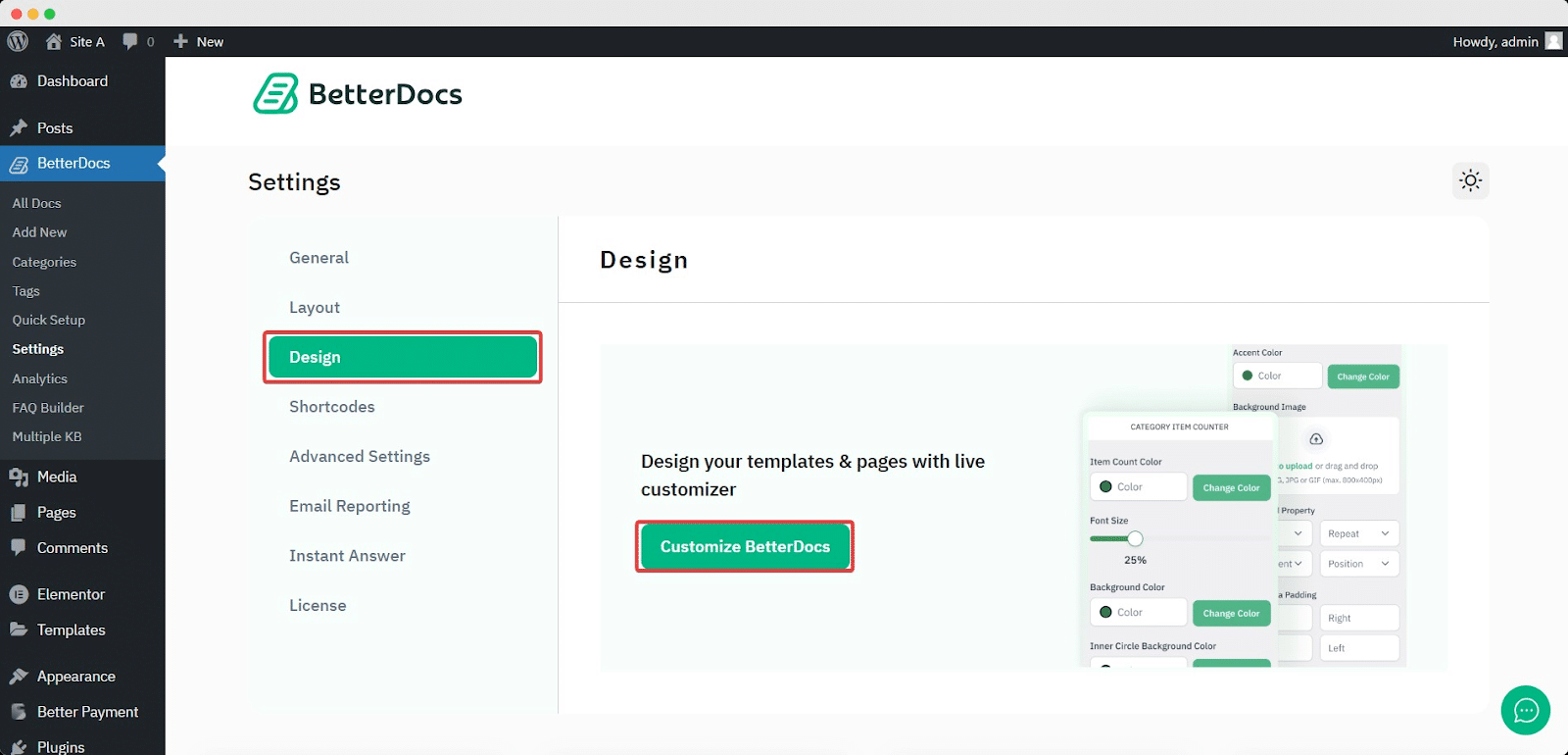
To increase the z-index of Sticky TOC, go to your WordPress Dashboard -> BetterDocs -> Design -> Anpassen.
Afterwards, go to the ‘Single Doc’ page. From the 'Inhaltsverzeichnis' section, you will find options to increase the z-index of the Sticky Table of Content. Simply use the ‘Sticky TOC z-index’ option to increase the value, and you will be good to go.
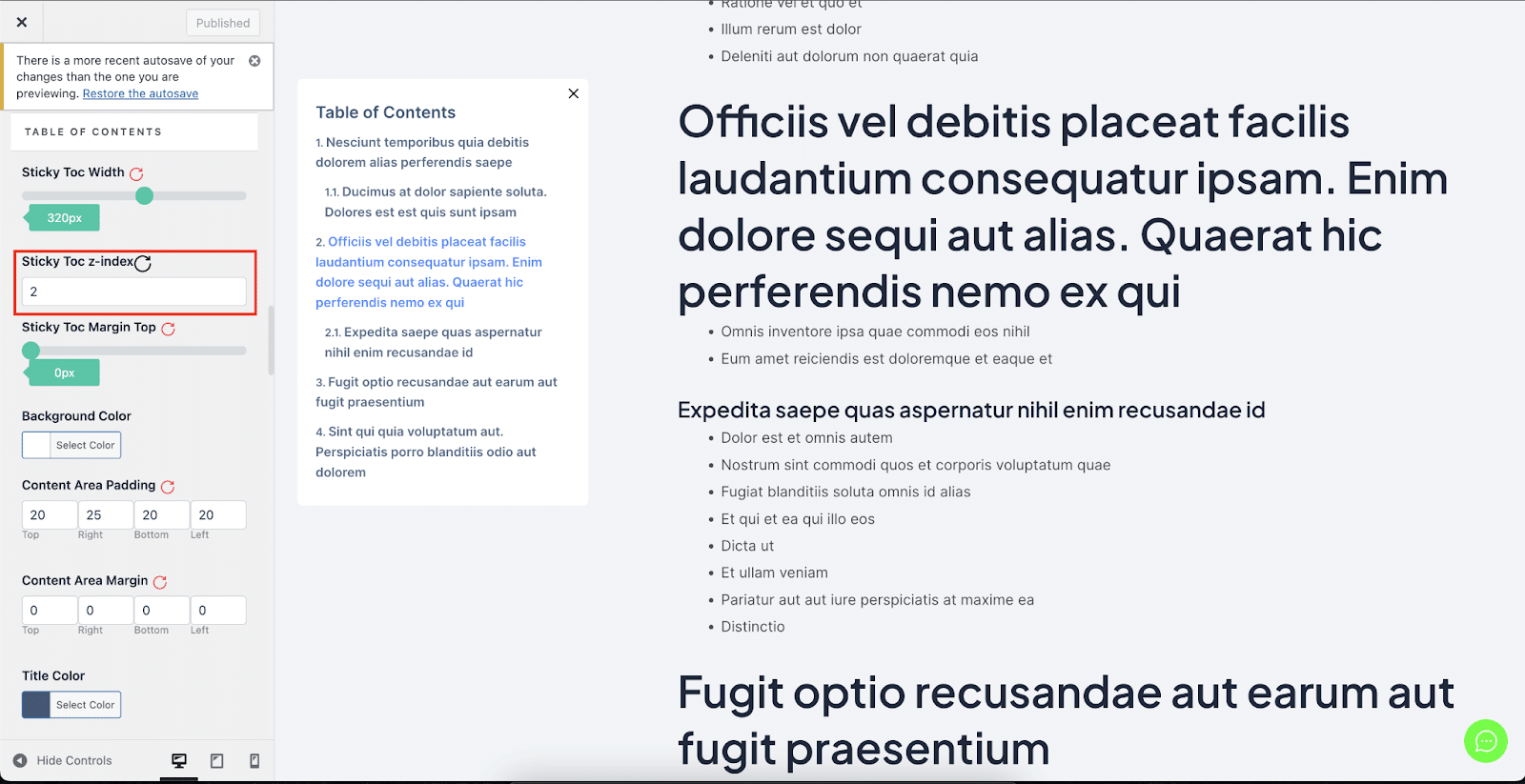
So können Sie vermeiden Sticky Inhaltsverzeichnis von Überlappungen mit anderen Abschnitten Ihrer WordPress-Website in BetterDocs.


