
Si quieres cambiar Configuración de pan rallado en BetterDocs, puedes hacerlo fácilmente desde WordPress Dashboard → BetterDocs → Settings → Layout. Bajo la 'Single Doc' section, you’ll get four options; one of them is ‘Breadcrumb’ from where you can enable or disable the BreadCrumbs from your documentation page.
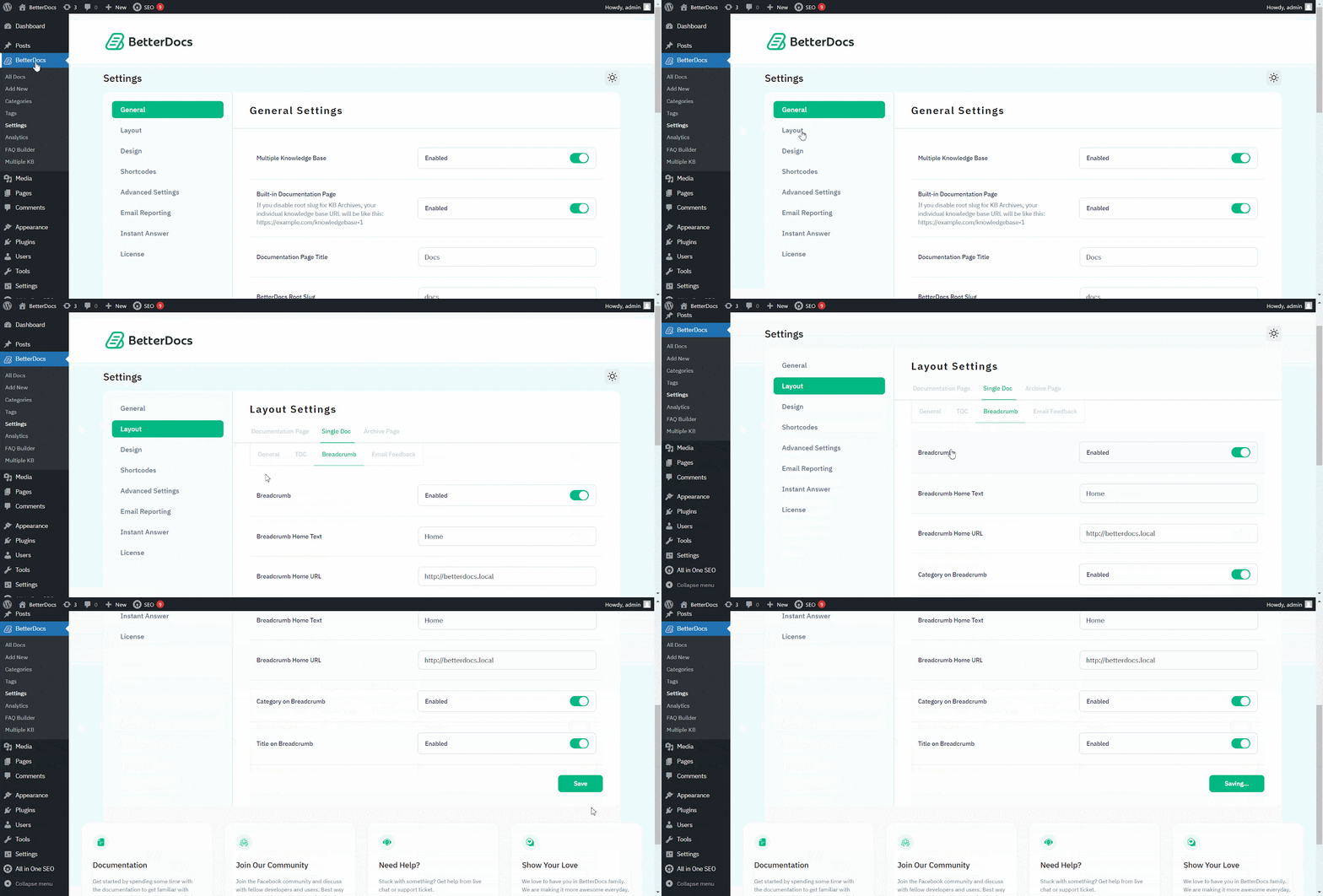
Besides, you can change the default BreadCrumbs page title that will be displayed on the navigation panel. You will also get the control to enable or disable the BreadCrumb category or page title on your single doc page. This is how simply you can change the Configuración de BreadCrumbs en BetterDocs.
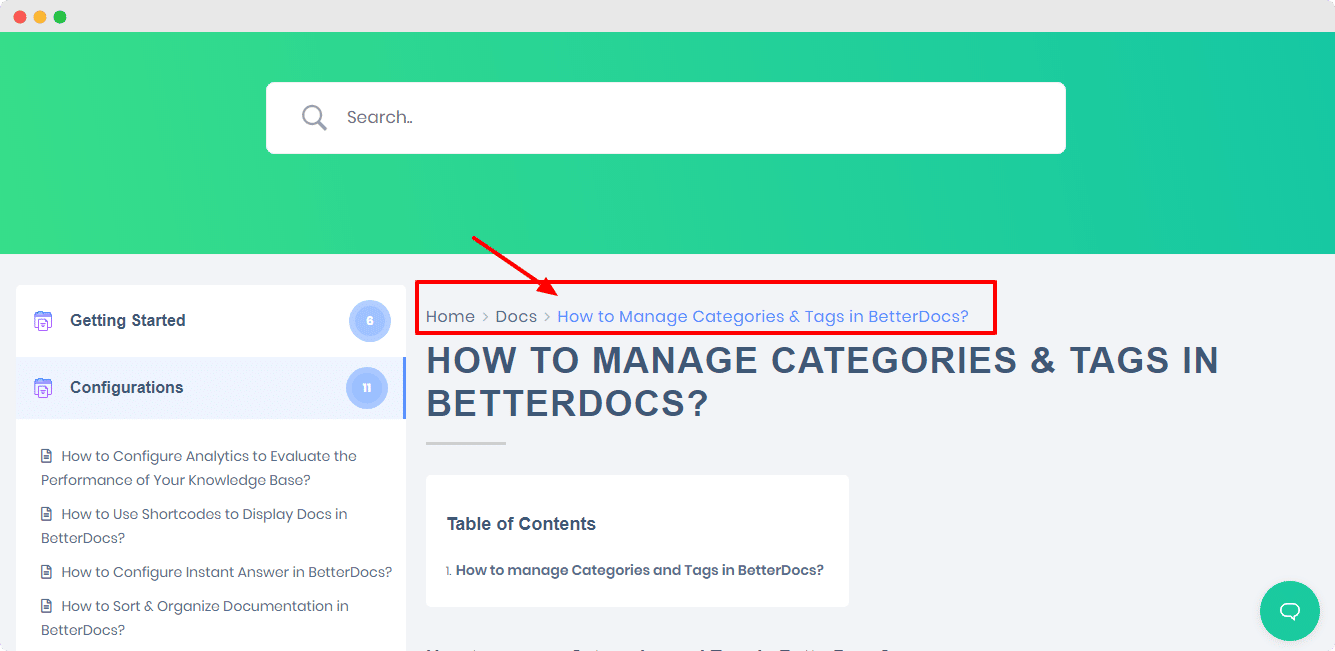
This is how you can easily enable and disable breadcrumbs settings in BetterDocs. If you face any issues with this change, feel free to reach out to our dedicated support team y lo ayudaremos con sus consultas.


