
BetterDocs gives you the freedom to customize the Archive Pages and change their appearance any way you want. Now, let’s follow the below guidelines to प्रलेखन पुरालेख पृष्ठों को अनुकूलित करें BetterDocs में:
Step 1: Go To BetterDocs Settings #
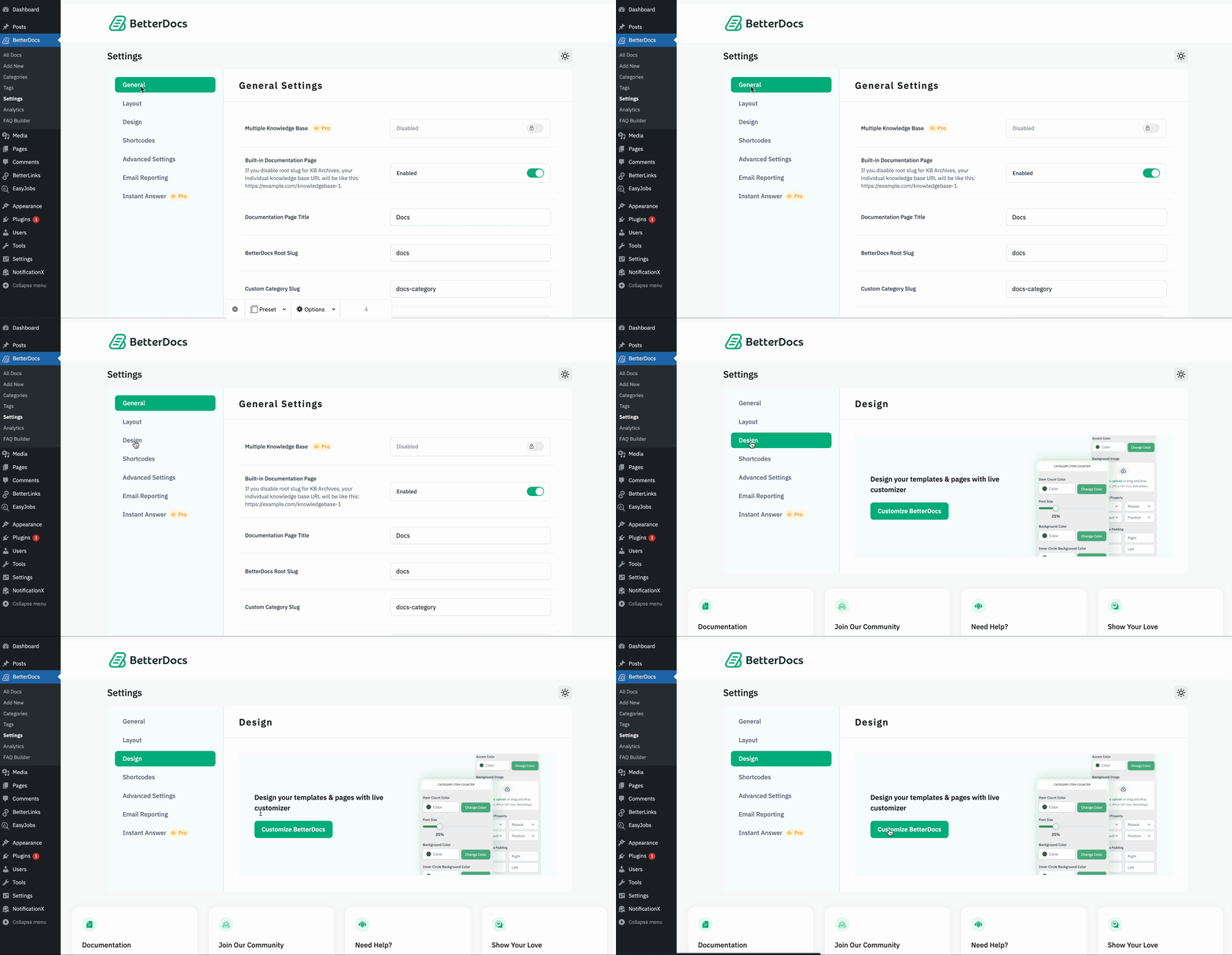
First of all, go to the BetterDocs Settings by navigating to wp-admin -> BetterDocs -> सेटिंग्स। बाद में, खोलें 'डिज़ाइन' टैब। अब, मारो 'BetterDocs अनुकूलित करें' बटन और आपको कस्टमाइज़ पेज पर पुनः निर्देशित किया जाएगा।
Step 2: Configure Customize BetterDocs Option #
से ‘BetterDocs Customizer’, you can pick the ‘Archive Pages’ option. You will then find all the styling options to modify the appearance of the पुरालेख पृष्ठ विकल्प।
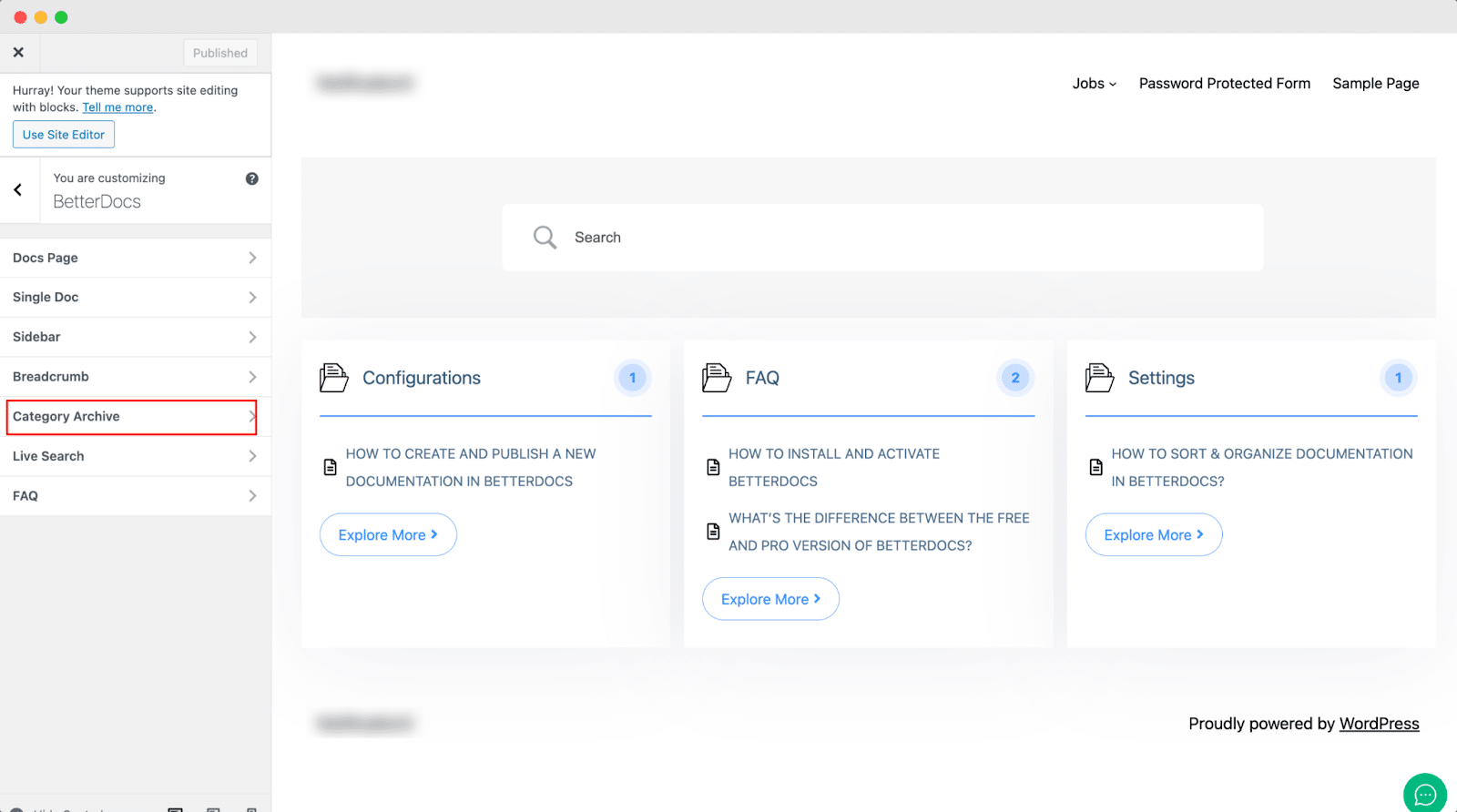
डिफ़ॉल्ट रूप से, BetterDocs कस्टमाइज़र redirects you to the doc landing page as a preview. So, you can click on the ‘Category’ and you will be redirected to the respective archive pages. Afterward, you can check out the changes you make in real-time.
बाद में, आप पृष्ठ पृष्ठभूमि, सामग्री क्षेत्र पृष्ठभूमि, शीर्षक, सूची चिह्न, और कई अन्य लोगों के लिए रंग बदल सकते हैं। यदि आप चाहें, तो आप भी जोड़ सकते हैं ‘Background Image’ and change its properties as well. Besides, you can play around with the Content Area Margin and Archive Title Margin. Make sure to hit on the 'प्रकाशित अपने परिवर्तनों को सहेजने के लिए बटन।
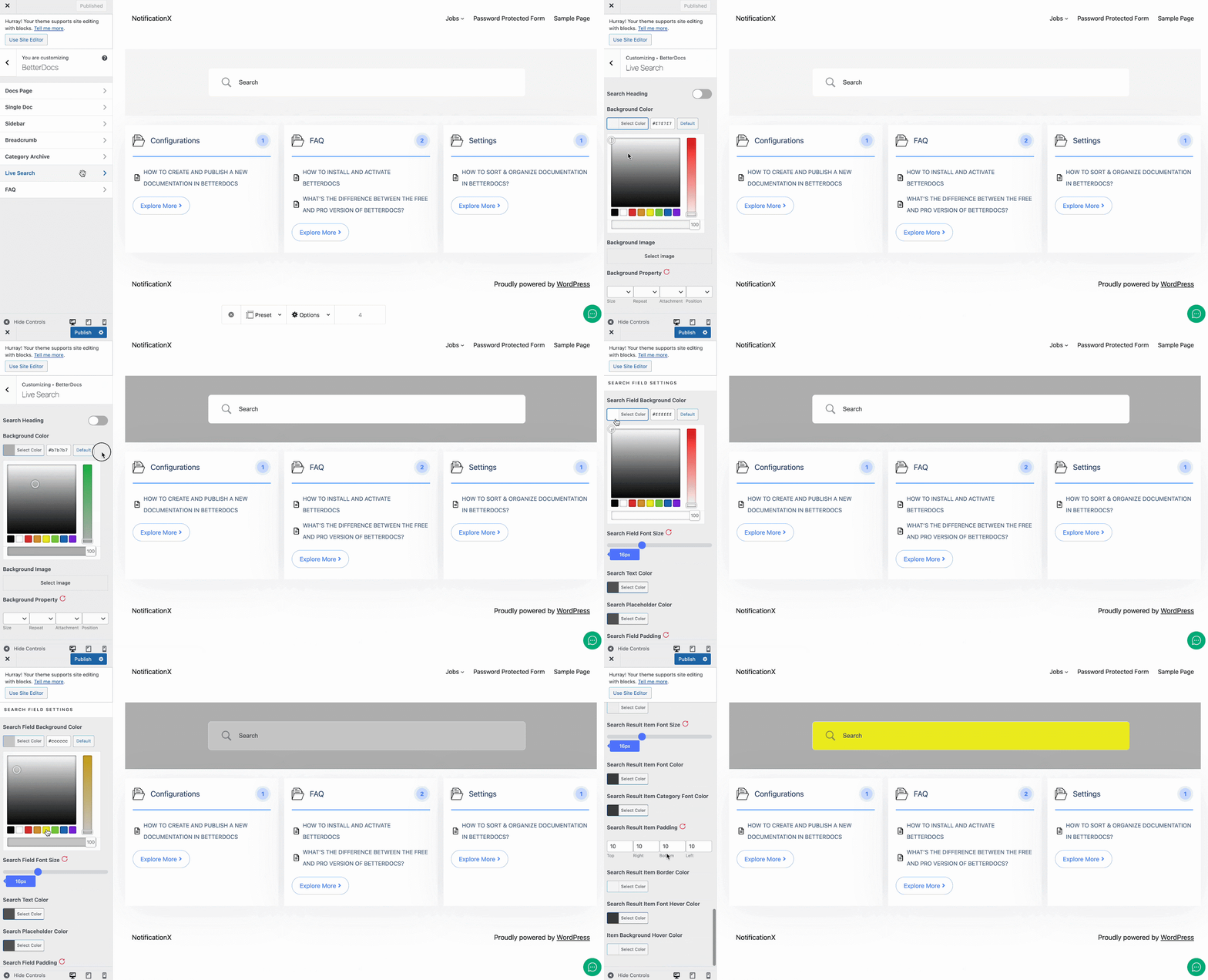
This is how easily you can customize the documentation archive pages with BetterDocs and enhance your user experience.
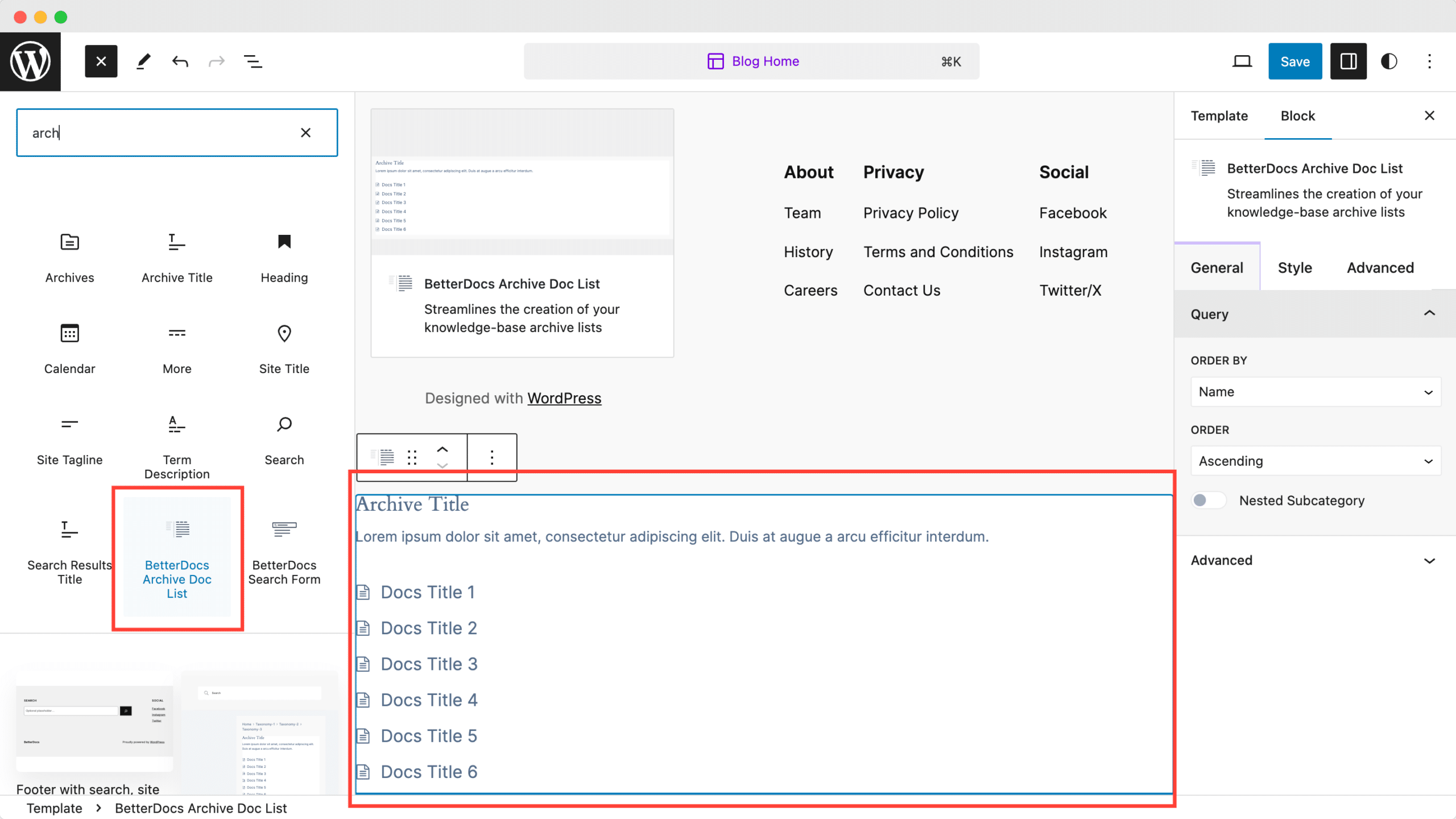
Moreover, BetterDocs provides a Full Site Editor compatible block of archive page list feature where you can select different orders and more. You can now choose different doc list designs directly using BetterDocs compatibility for the WordPress full site editor.
If you face any difficulties, feel free to contact our support team.


