
BetterDocs offers the white-labeling option. So, you can easily ब्रांडिंग निकालें BetterDocs में किसी भी पैकेज के लिए। सिंगल आर्टिकल के लिए, आप इसे लेआउट सेटिंग्स से अक्षम कर सकते हैं।
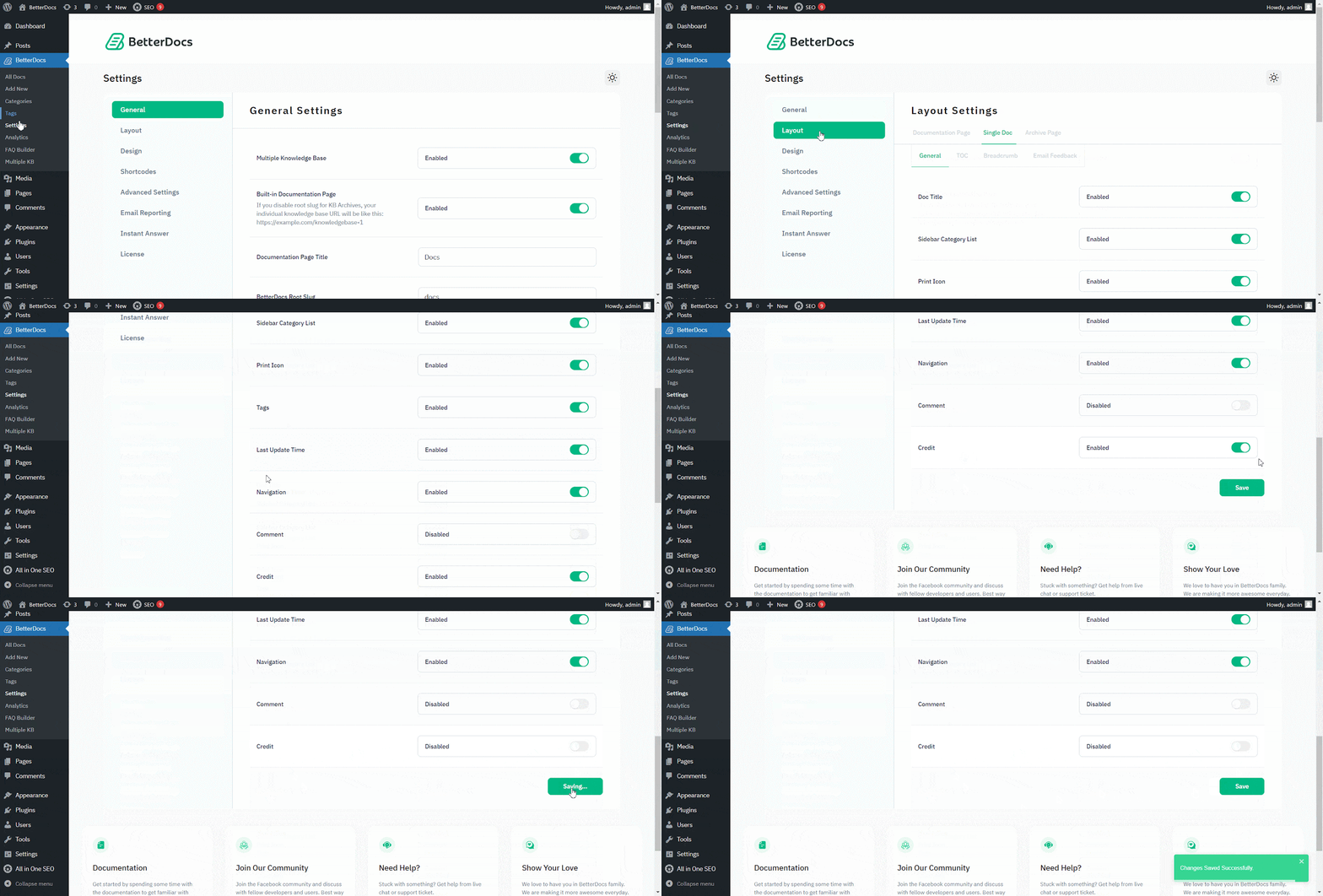
के लिए जाओ WordPress Dashboard → BetterDocs → Settings → Layout → General। से the 'सामान्य' अनुभाग, आप यहां से क्रेडिट अक्षम कर सकते हैं। पर हिट करने के लिए सुनिश्चित करें 'समायोजन बचाओ'.
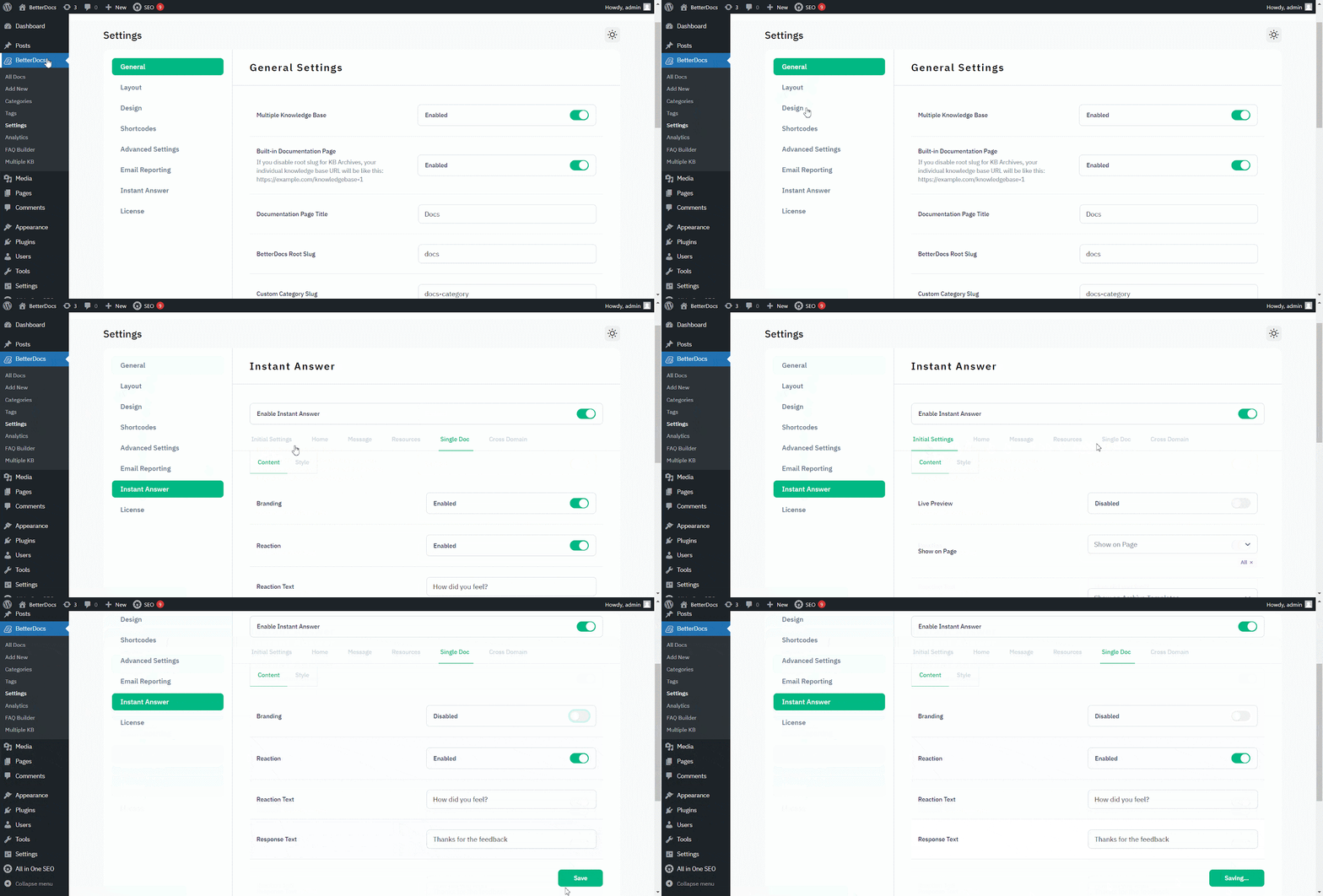
सेवा ब्रांडिंग निकालें से 'तुरंत उत्तर', के लिए जाओ WordPress Dashboard → BetterDocs → Settings → Instant Answer → Single Doc.
फिर, से 'सिंगल डॉक', make sure to turn off the Branding toggle to make it ‘Disabled.’ पर मारो 'समायोजन बचाओ'। परिणामस्वरूप तुरंत उत्तर से BetterDocs ब्रांडिंग हटा दी जाएगी।
That’s how you can simply remove branding within a few steps. Getting Stuck? Feel free to contact our dedicated टीम का समर्थन for further assistance.


