
Con BetterDocs For Shopify, you can easily import and export documentation for your store. So, from now on, you can easily import any documentation to your Shopify store and export as you need. Follow this step-by-step guide to learn how to do it.
How To Import Documentation In BetterDocs For Shopify #
BetterDocs For Shopify can help you to import documentation to your Shopify store with ease. You can import documentation using a CSV file and create your complete knowledge base. Follow the guideline below to import documentation to your store.
Note: You may download and use our Doc Sample File to prepare for your import. Also, ensure that the Docs that you are importing are not duplicates of your existing store Docs.
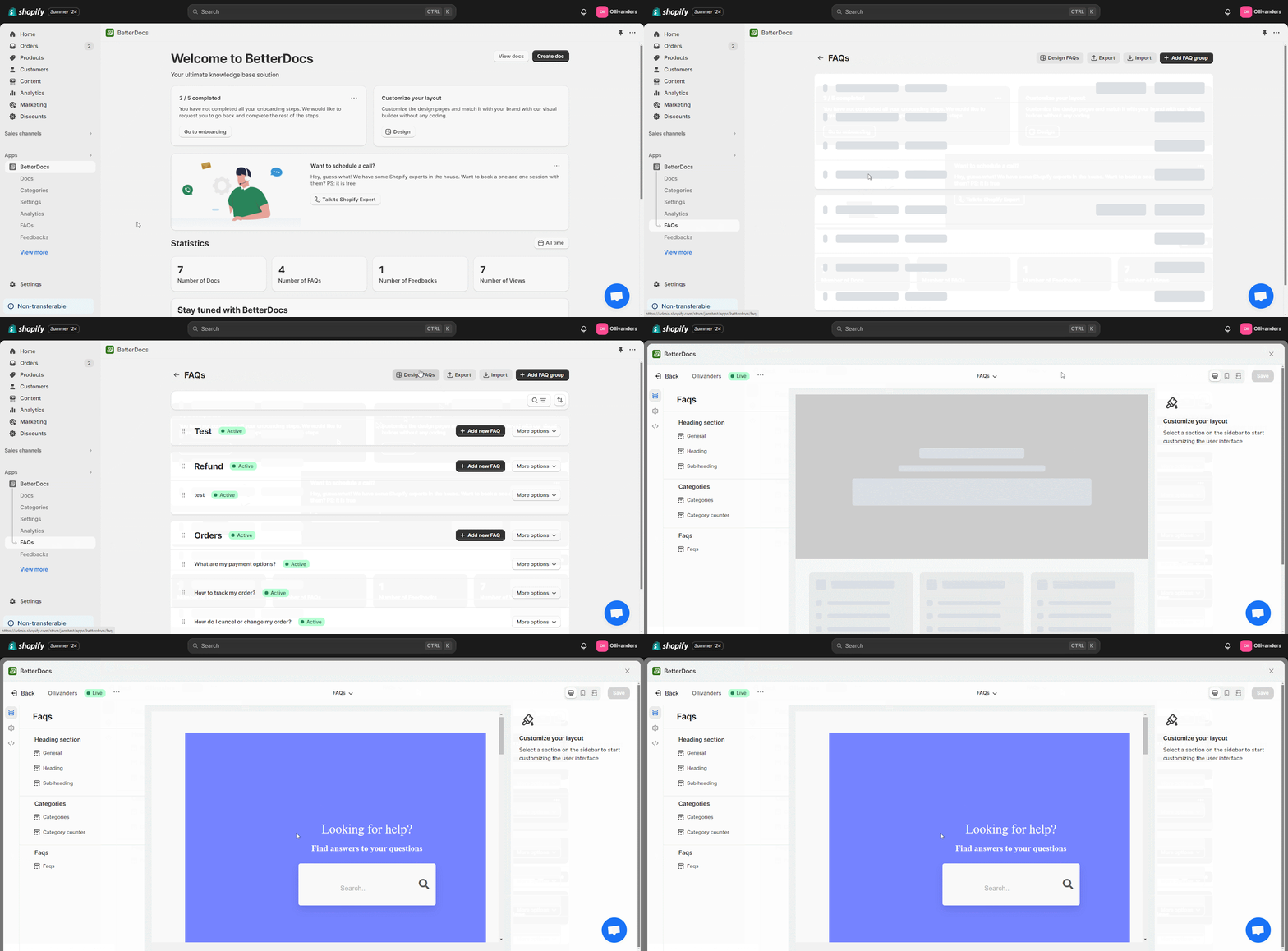
Step 1: Navigate to DesignFAQs in the BetterDocs App #
First, navigate to ‘FAQs‘ under the ‘Apps’ section of BetterDocs from the Shopify homepage. And click on the ‘Design FAQs’ button.
Step 2: Update The FAQs Design As Necessary #
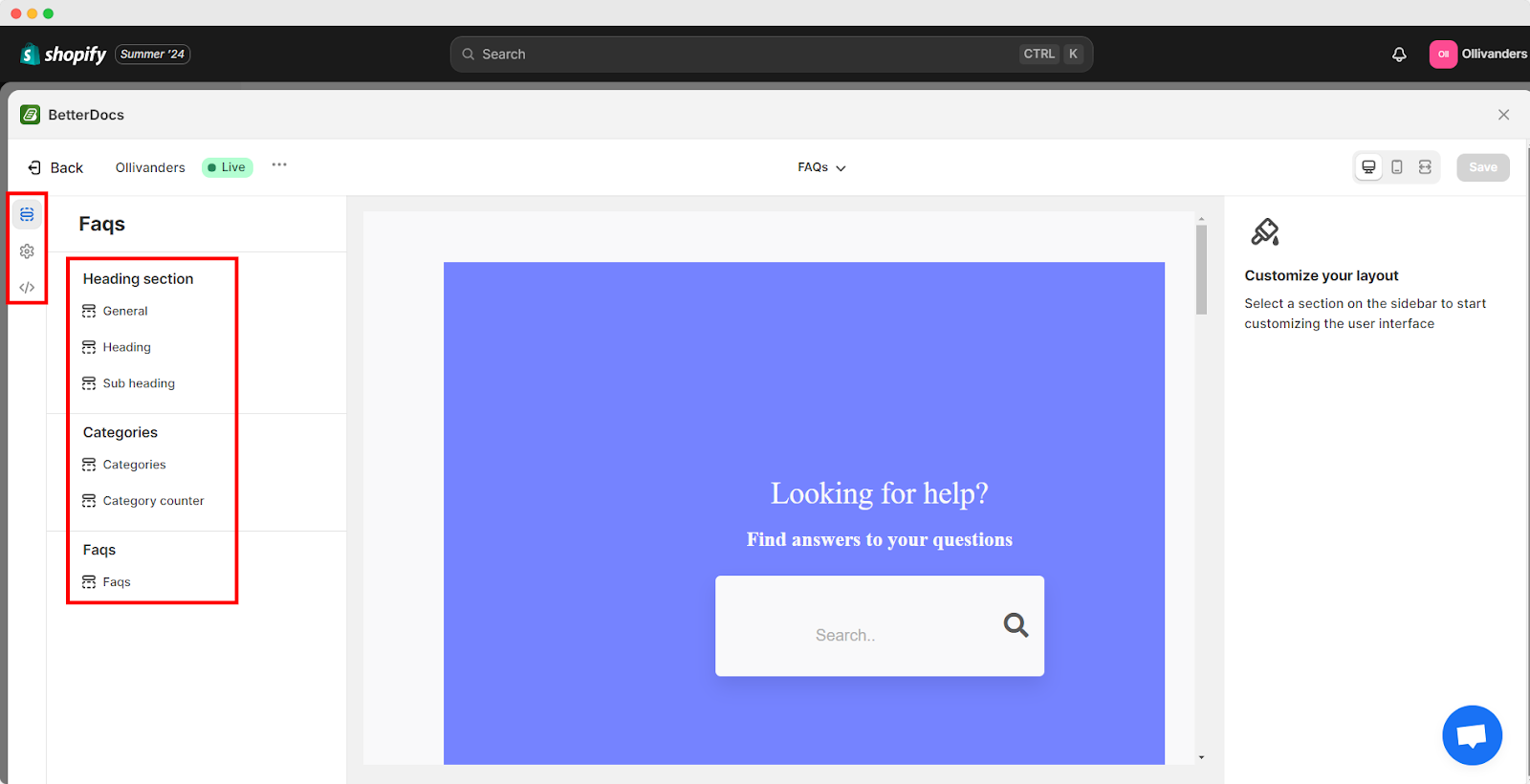
Now, you can design every layout element of your FAQ page, from Title to Categories. Just click on each area you desire to change and start configuring it as your preference. Here, you will have these five different options to edit your FAQ:
- Heading section
- Categories
- FAQs
- Settings
- Custom CSS
Configure Settings Section #
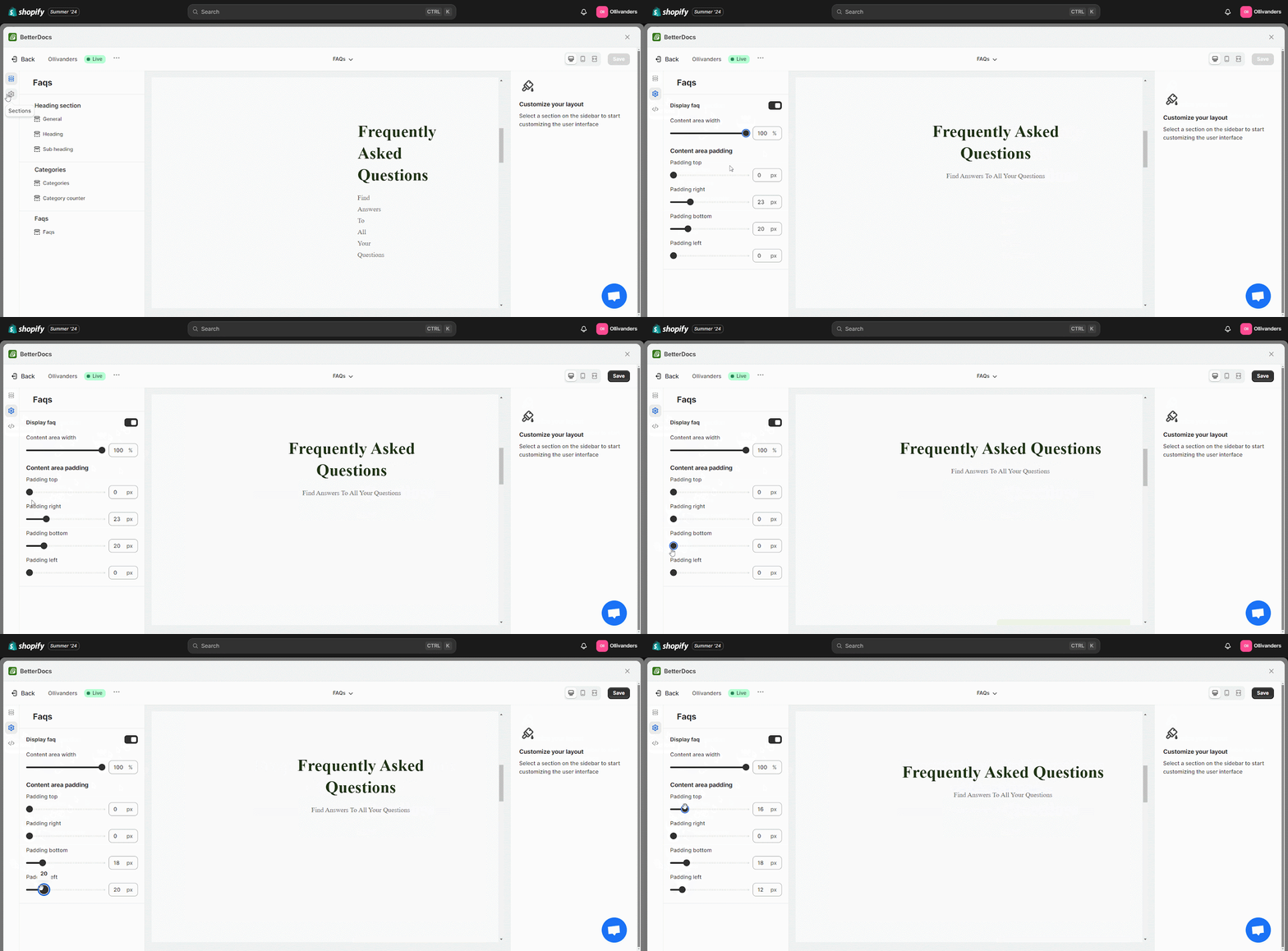
The ‘Settings Section’ will let you customize your content area width, padding options and display FAQ or no display. You can choose how much space this FAQ section will take on your Shopify store’s selected page.
For example, we have configured the ‘Content Area Width’ and made a few changes in the ‘Content Area Padding,’ as shown below.
Design Heading Section #
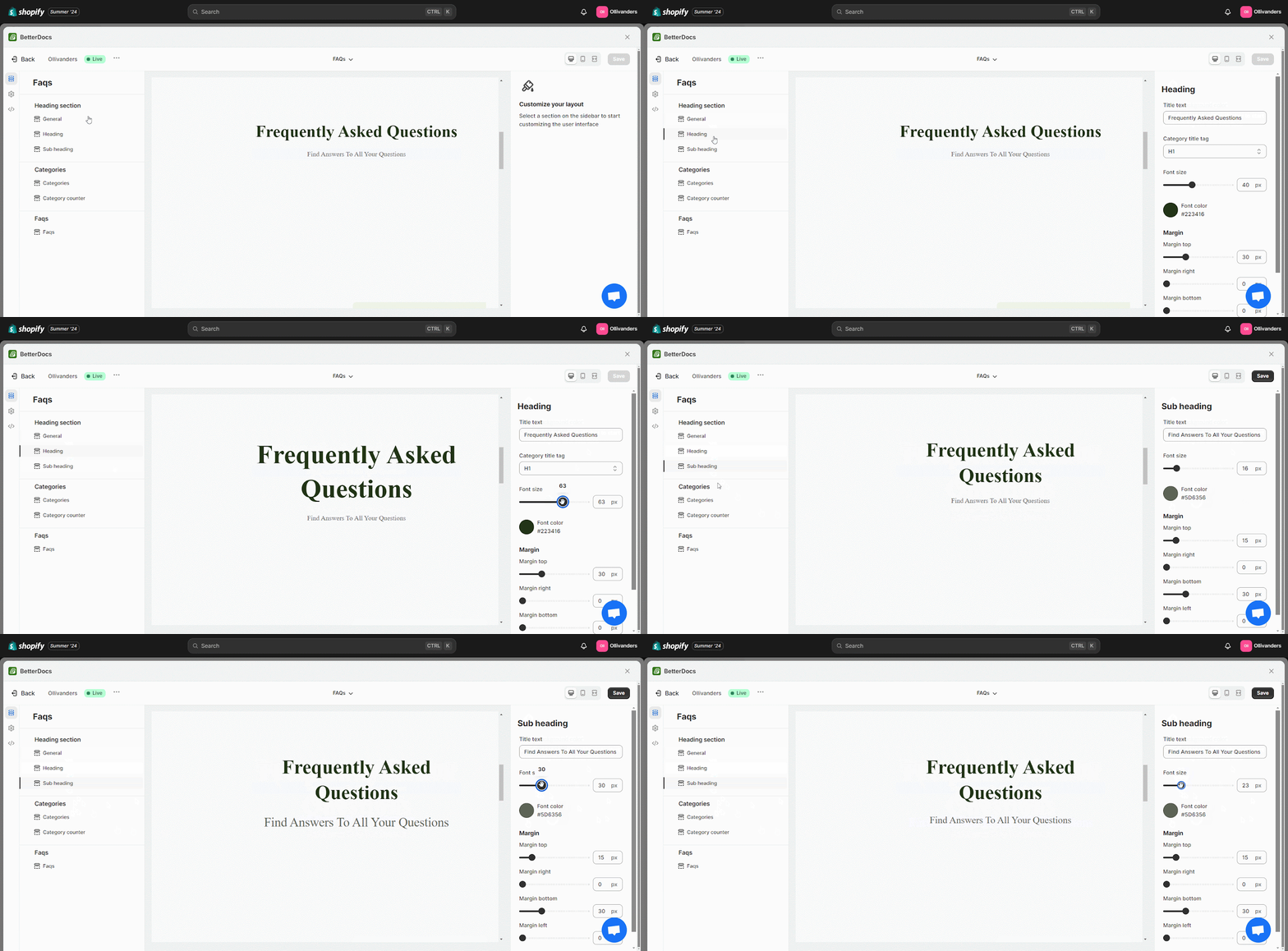
From the ‘Heading section’, you can customize FAQ’s header, sub-header title text, font size, color, and margin according to your store’s environment preferences. You can even change the background color of your main FAQ header section according to the layout.
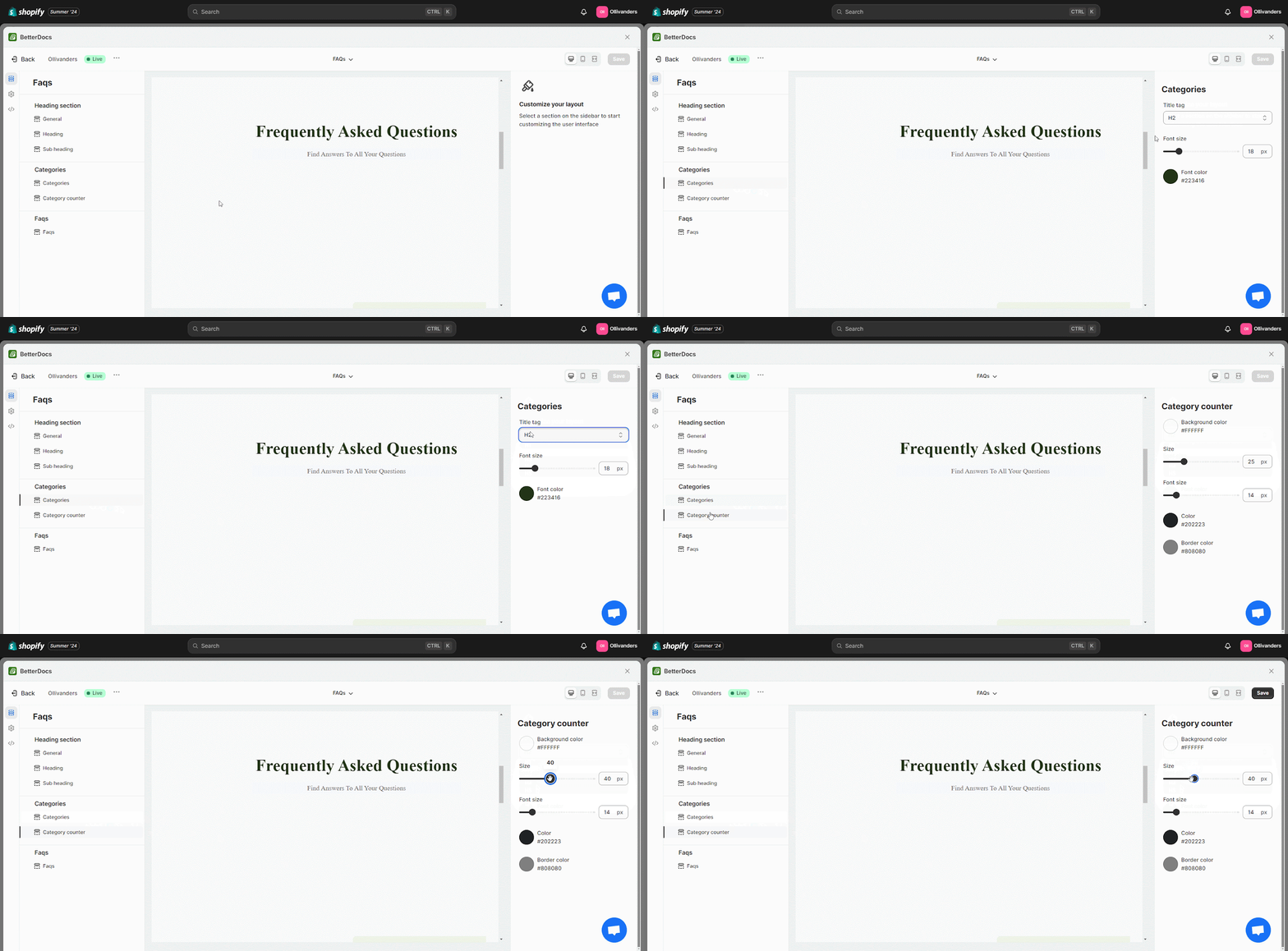
Customize FAQ Categories & Counter #
Dal ‘Categories’ section, you can customize the FAQ categories font size with colors to match your FAQ section and store brand image accordingly For the category counter you can design its background color, counter size, and font size.
Design Entire FAQ Section #
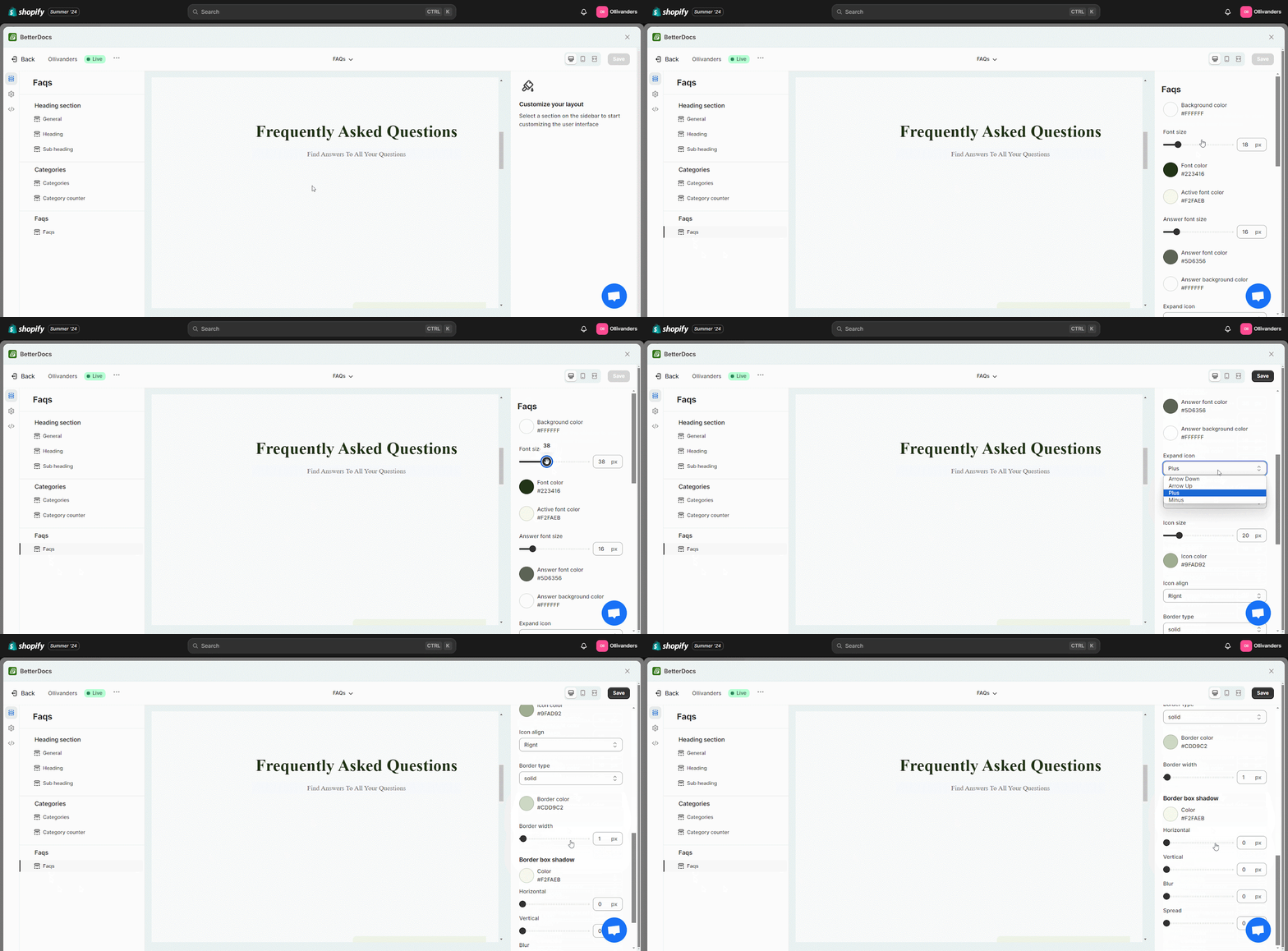
BetterDocs helps you design your FAQ questions and answers to reflect your brand values and images. Here, you can customize your FAQs font, toggle size, and icon size, expand or collapse icons with preferred options, and more.
Besides, you can choose colors for each section and make your questions and answers section interactive for your customers.
Step 3: Save All The Changes #
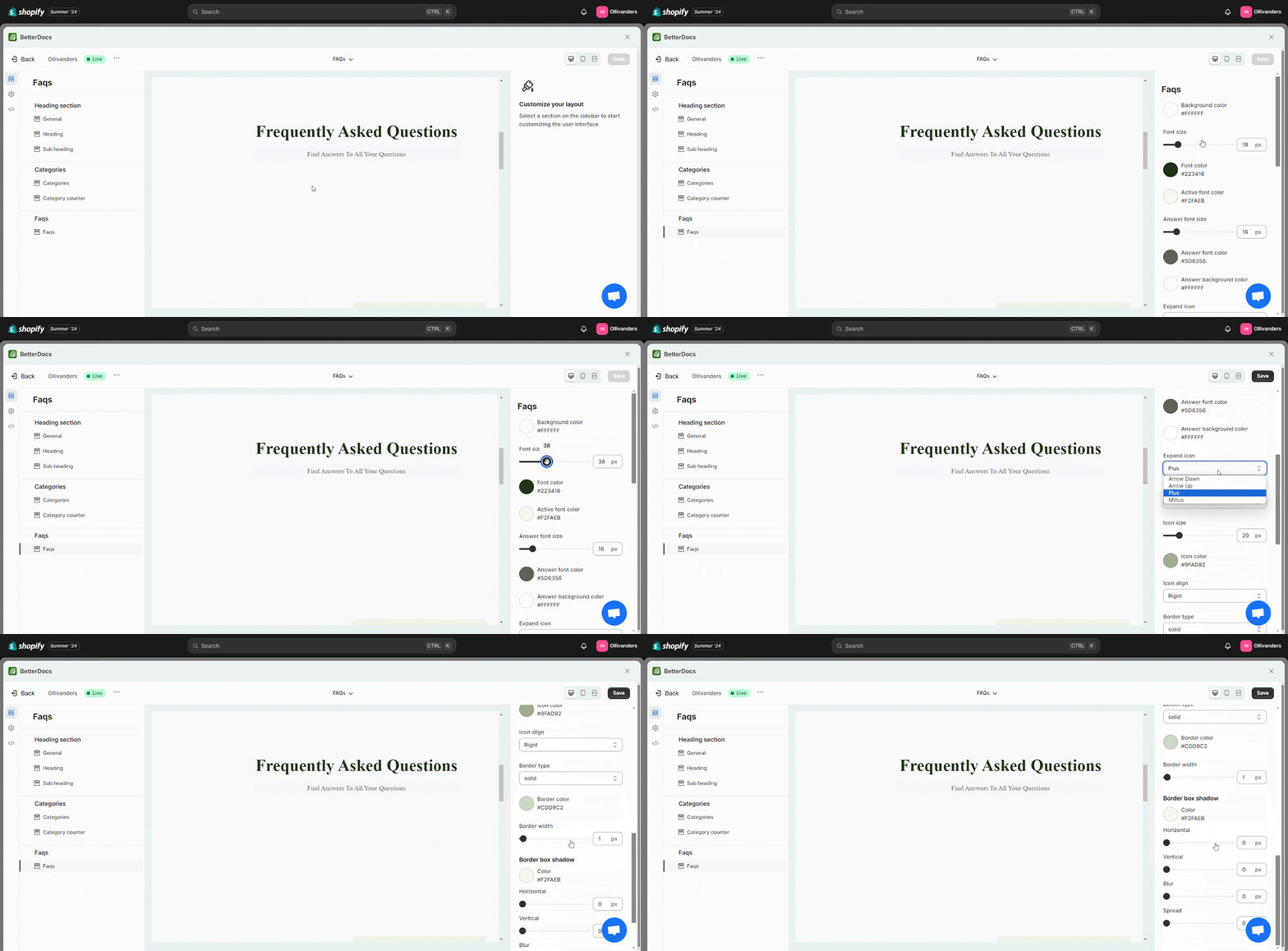
After customizing your FAQs design as needed, just hit the ‘Save Changes’ button.
Esito finale #
The image below shows how your newly designed FAQ on Shopify will look to the store visitors and customers.
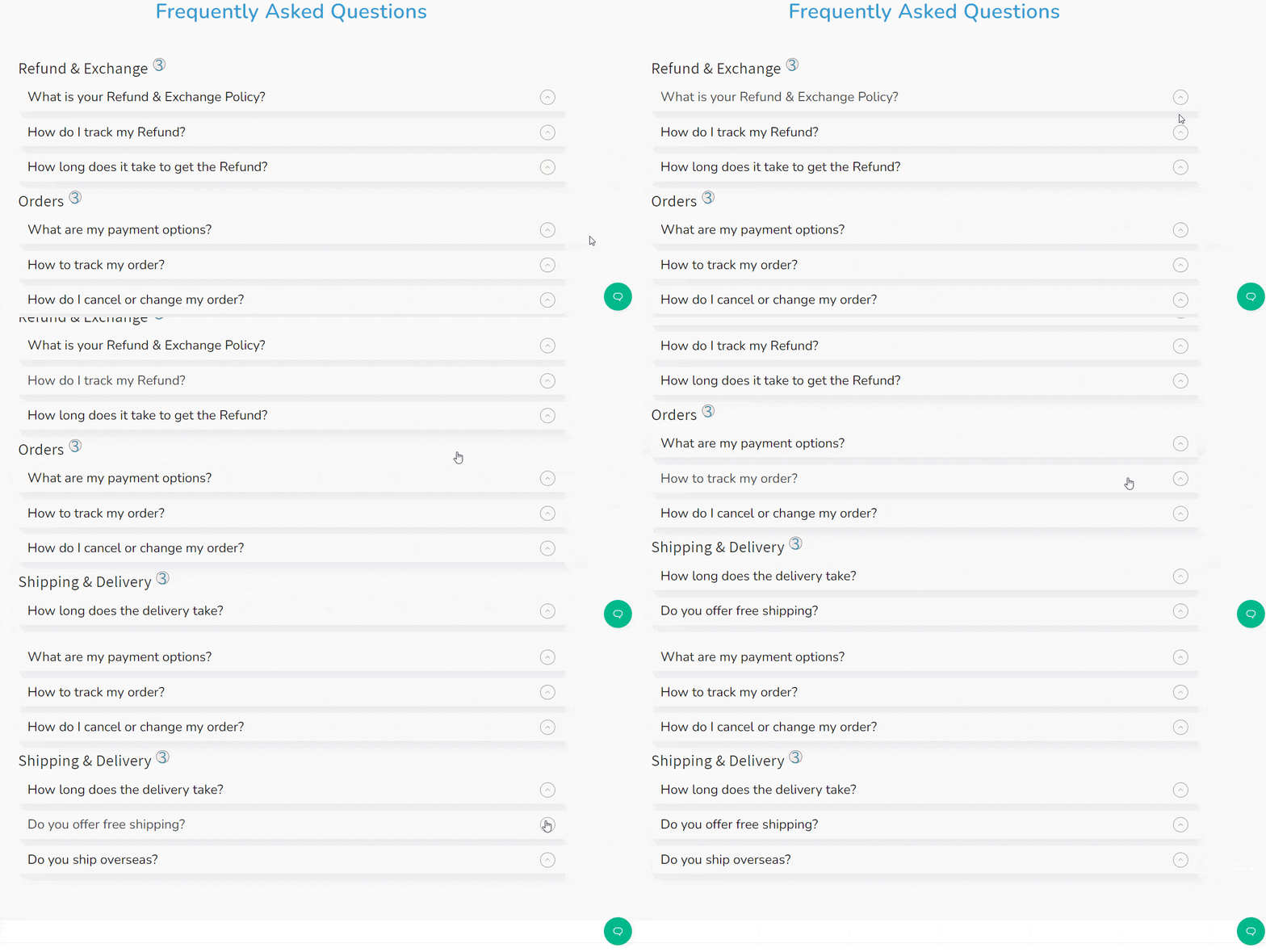
This is how easily you can design FAQs for your Shopify store using BetterDocs.
Still facing difficulties in adding and designing FAQs? Feel free to contact our dedicated support team.


