
If you want to install and activate BetterDocs on your WordPress site, you have to follow this step-by-step guide below:
How To Install & Activate BetterDocs #
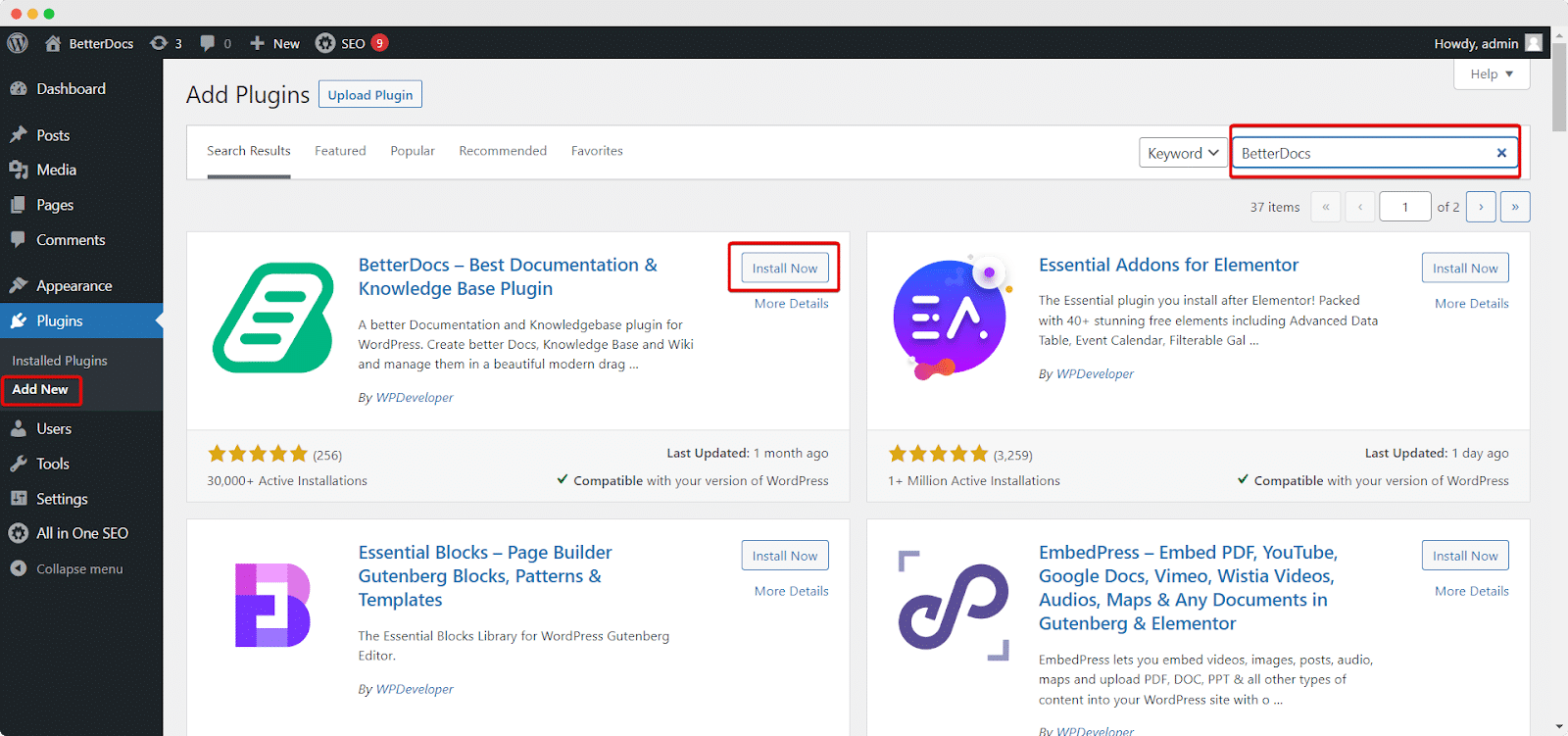
Pasul 1: Accesați tabloul de bord WordPress și navigați la wp-admin → Plugins → Add New. Then in the search box, type ‘BetterDocs’. Then simply click on the ‘Install Now‘ button to install BetterDocs on your website.
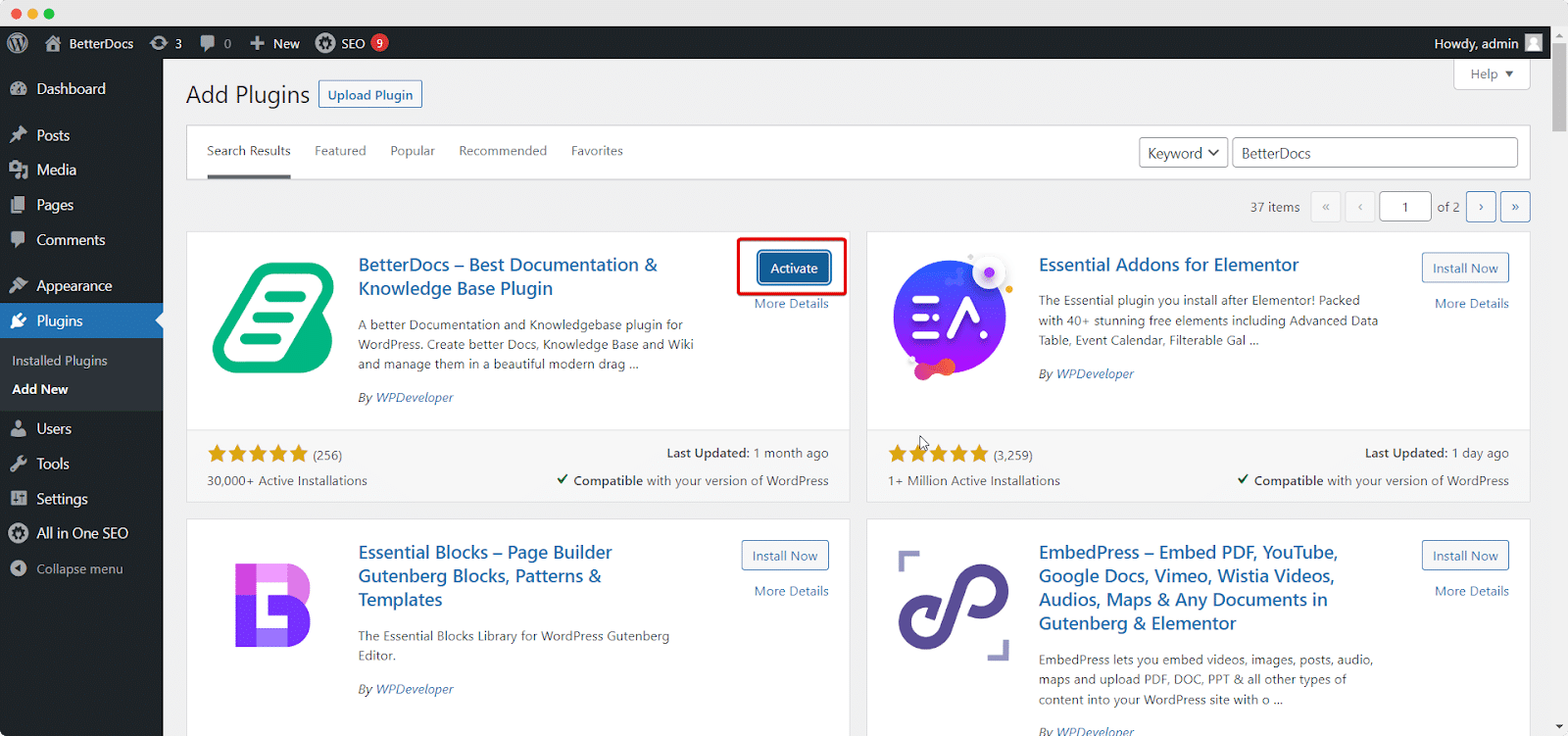
Pasul 2: După finalizarea instalării, faceți clic pe butonul ‘Activate’ button, and ‘BetterDocs‘ will be activated.
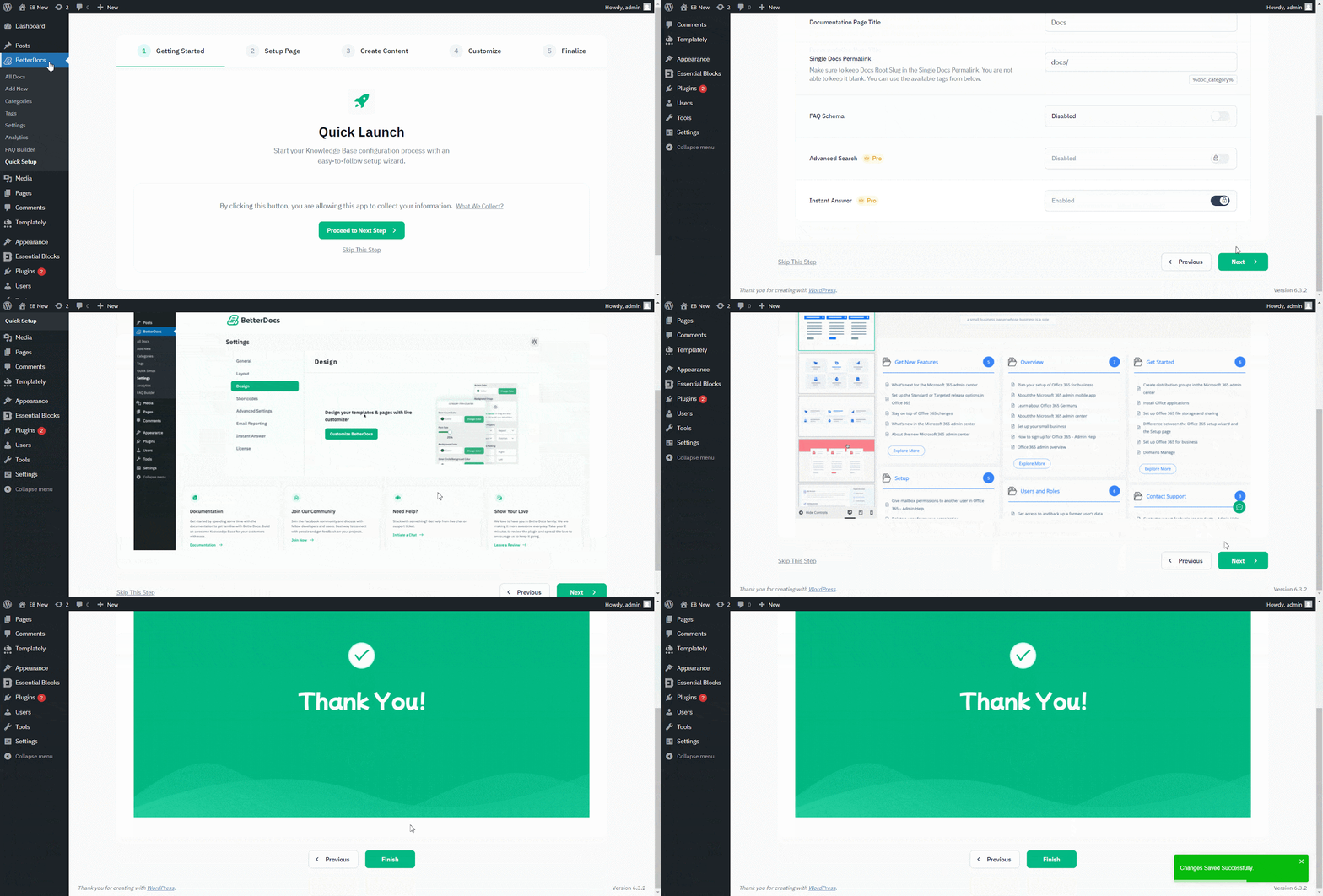
Pasul 3: După finalizarea etapei 2, veți fi redirecționat către ‘Quick Builder’ setup. You have to press the ‘Next’ button and directly choose to configure the initial setup process or can skip it as per your preference. Once you have done configuring the quick builder setup, hit the ‘Finish’ buton.
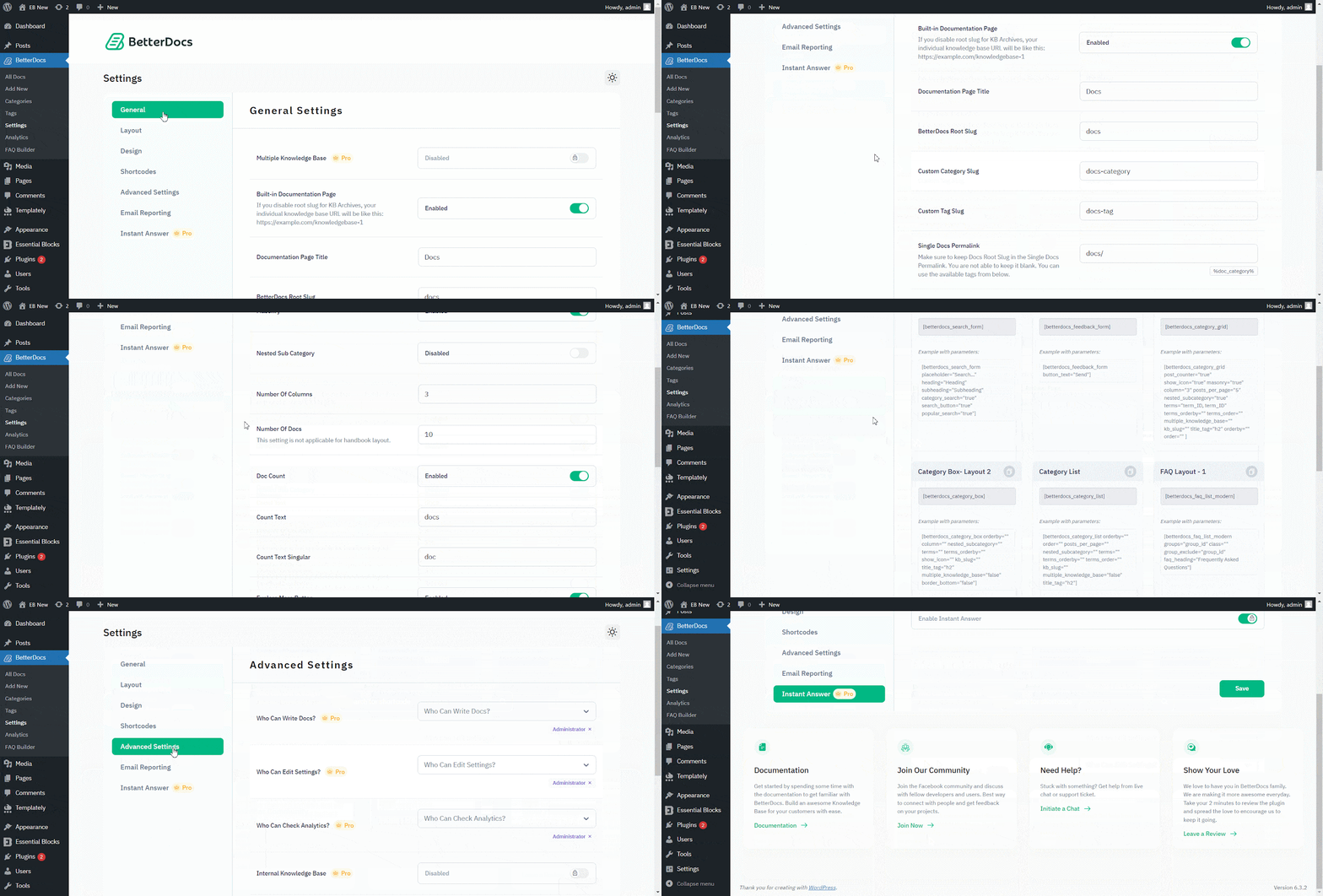
Afterward, you will then be redirected to BetterDocs ‘Settings’. You can change the slug of your Documentation page, Custom Root, Custom Category, Custom Tag, and even Doc Link with others.
Following these simple steps, you can install and activate BetterDocs free at ease.
A rămâne blocat? Nu ezitați să ne contactați dedicated support team for any further assistance.


