
Теперь вы можете перейти на BetterDocs from your existing documentation plugin with just one click. BetterDocs supports the following Knowledge Base plugins, from which you can seamlessly migrate from Echo Knowledge Base, BSF Docs, weDocs, and PressApps Knowledge Base.
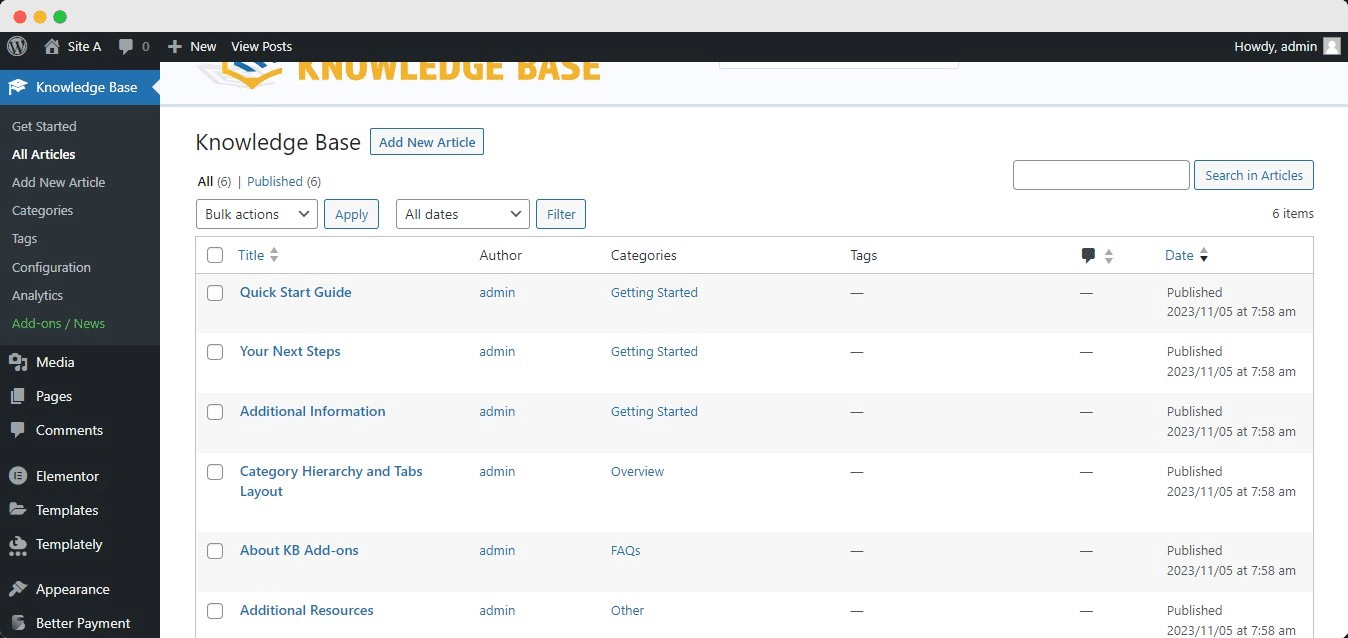
For the purpose of this documentation, we are going to show how to migrate your existing articles from the Echo Knowledge Base plugin to BetterDocs. This is how your existing documentation will look in the WordPress Панель приборов:
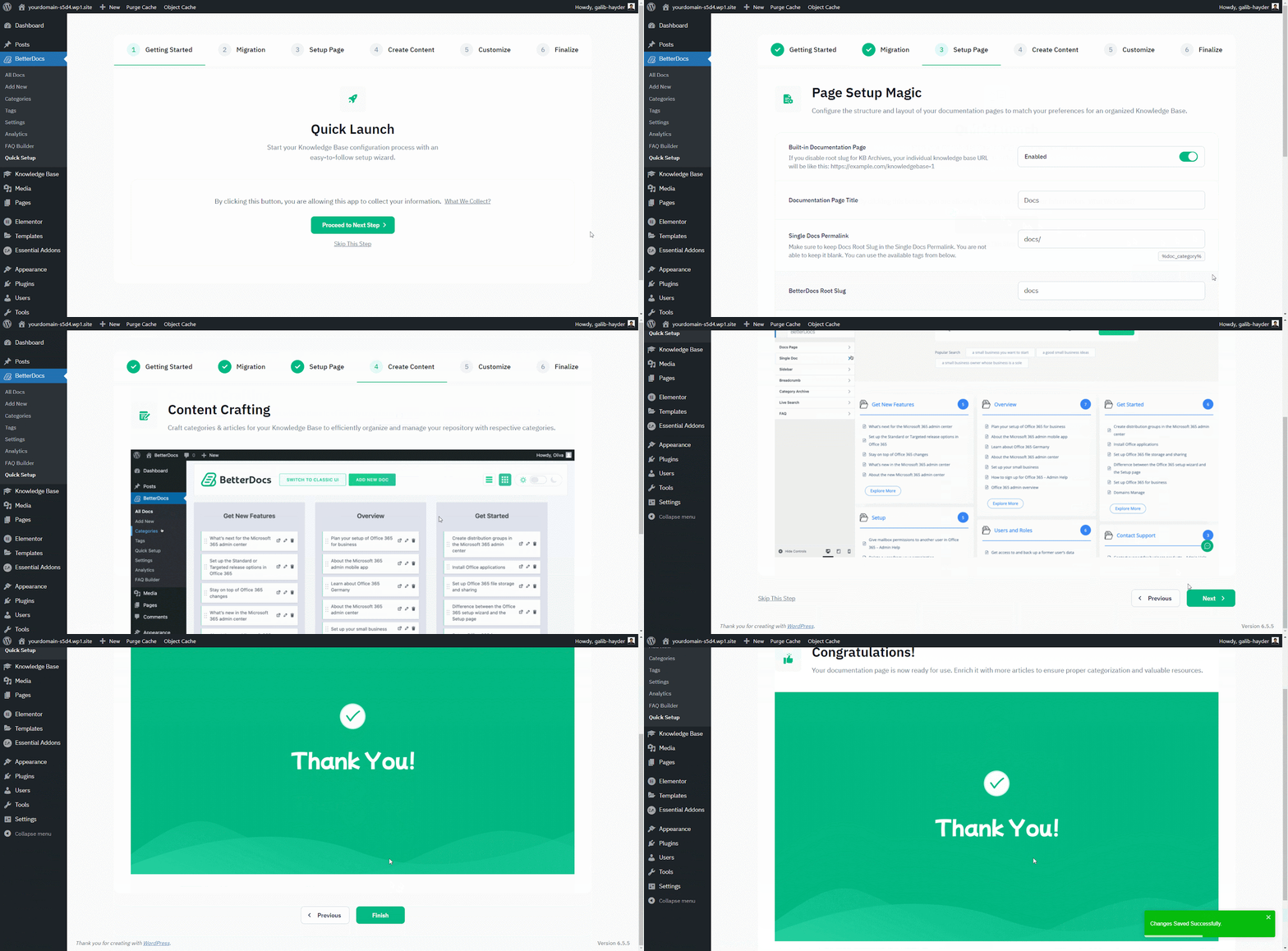
Когда у вас есть установлен BetterDocs, you will be redirected to the ‘Quick Setup’ Мастер. От ‘Quick Setup’ wizard, you can simply import your existing knowledge base to BetterDocs with just a few clicks. From the ‘Migration’ tab, mark the checkbox to start your migration from your existing Knowledge Base solution. After you have done that, simply finish all the other steps, and you will be all set to go.
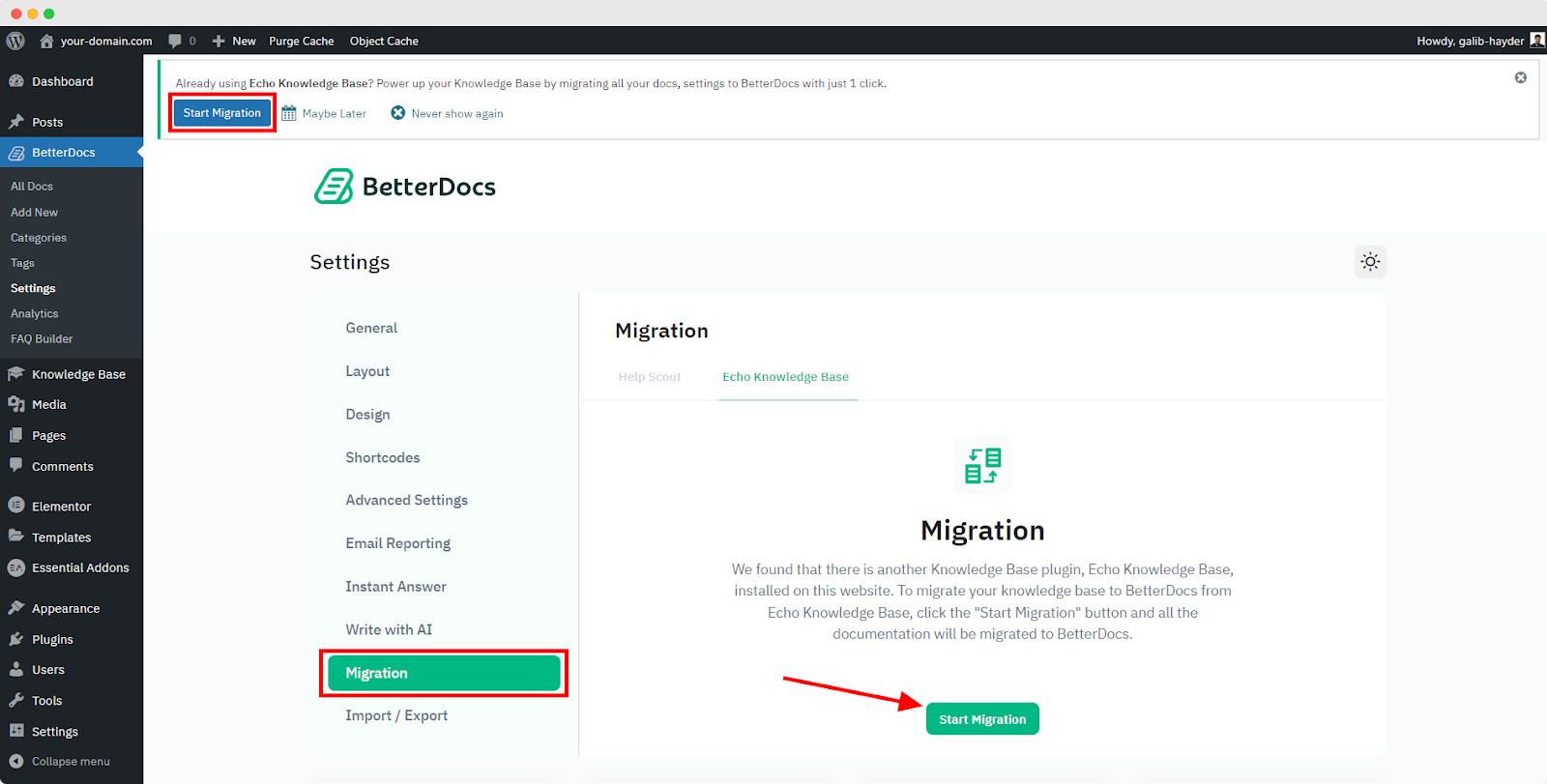
Примечание: If you missed the migration option from the Quick Setup, you can migrate from the BetterDocs Settings Tab. From Dashboard, go to Setting’ → Migration, and then, click on ‘Start Migration’ button.
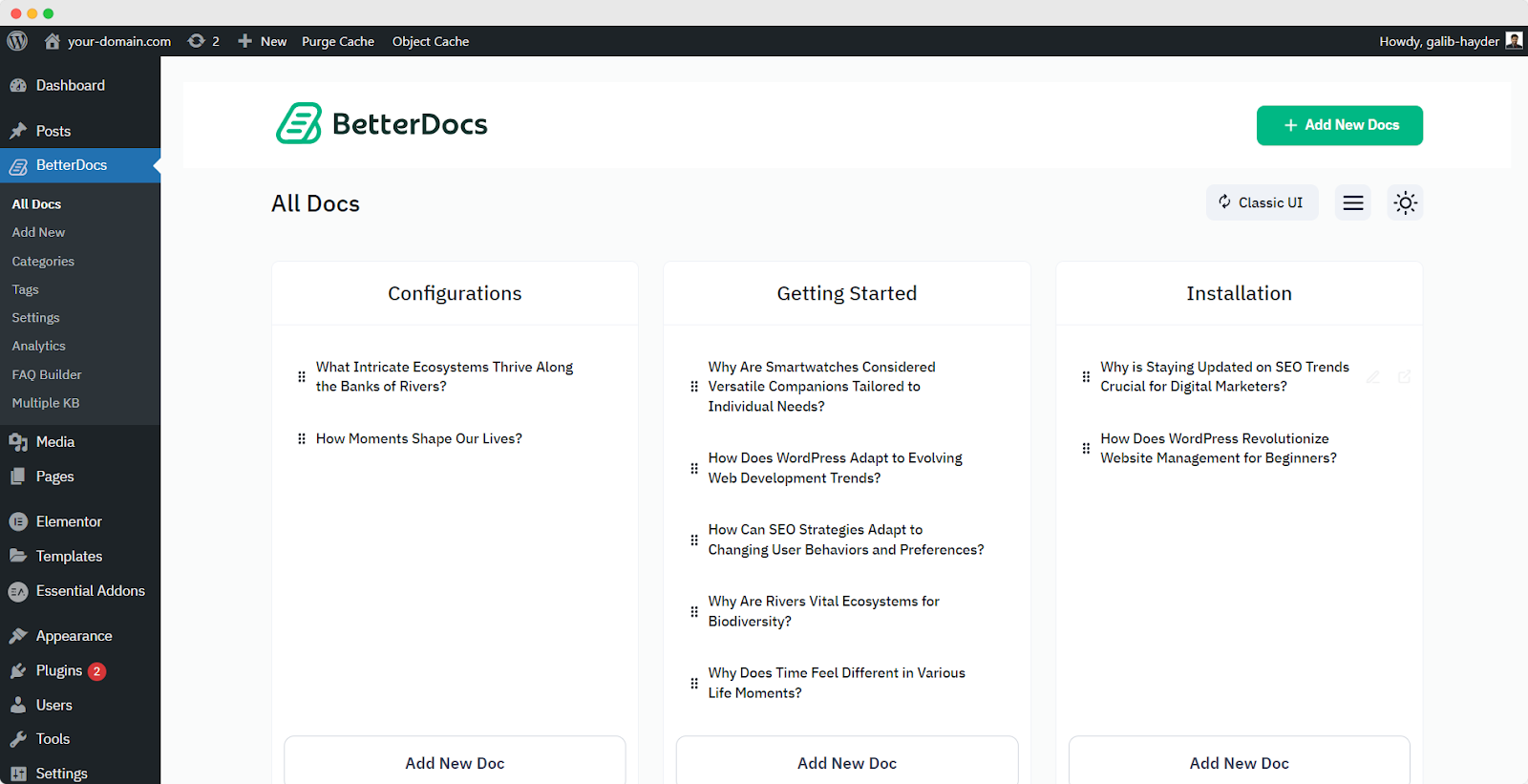
After the migration, all the articles from your previous Knowledge Base plugin will appear in the BetterDocs → All Articles раздел. Вот как они будут выглядеть:
To avoid any conflict, your existing third-party documentation plugin will be automatically deactivated, and their existing documents will be ready to перейти на BetterDocs, Вы можете легко назначить категории и теги to the articles and organize them the way you want.If you want to migrate from other existing Knowledge Base solutions to BetterDocs, check out эта документация или свяжитесь с нашей поддержкой для получения дополнительной помощи.


