
您现在可以迁移到 BetterDocs from your existing documentation plugin with just one click. BetterDocs supports the following Knowledge Base plugins, from which you can seamlessly migrate from Echo Knowledge Base, BSF Docs, weDocs, and PressApps Knowledge Base.
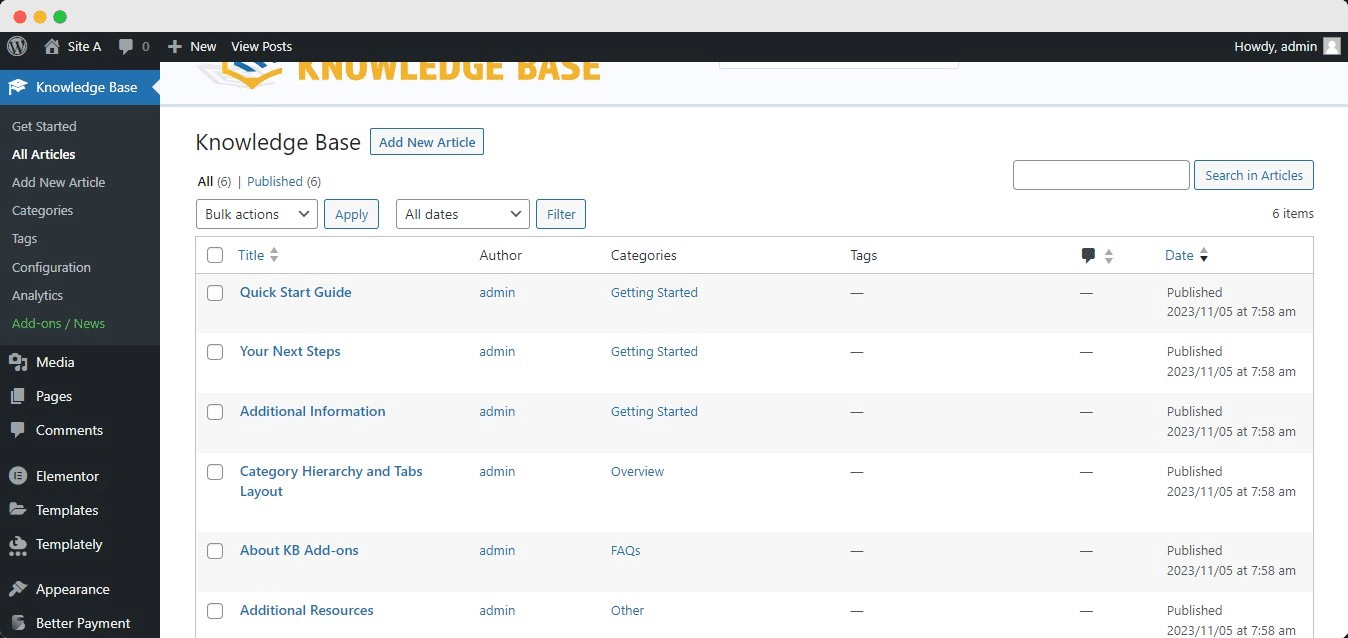
For the purpose of this documentation, we are going to show how to migrate your existing articles from the Echo Knowledge Base plugin to BetterDocs. This is how your existing documentation will look in the WordPress仪表板:
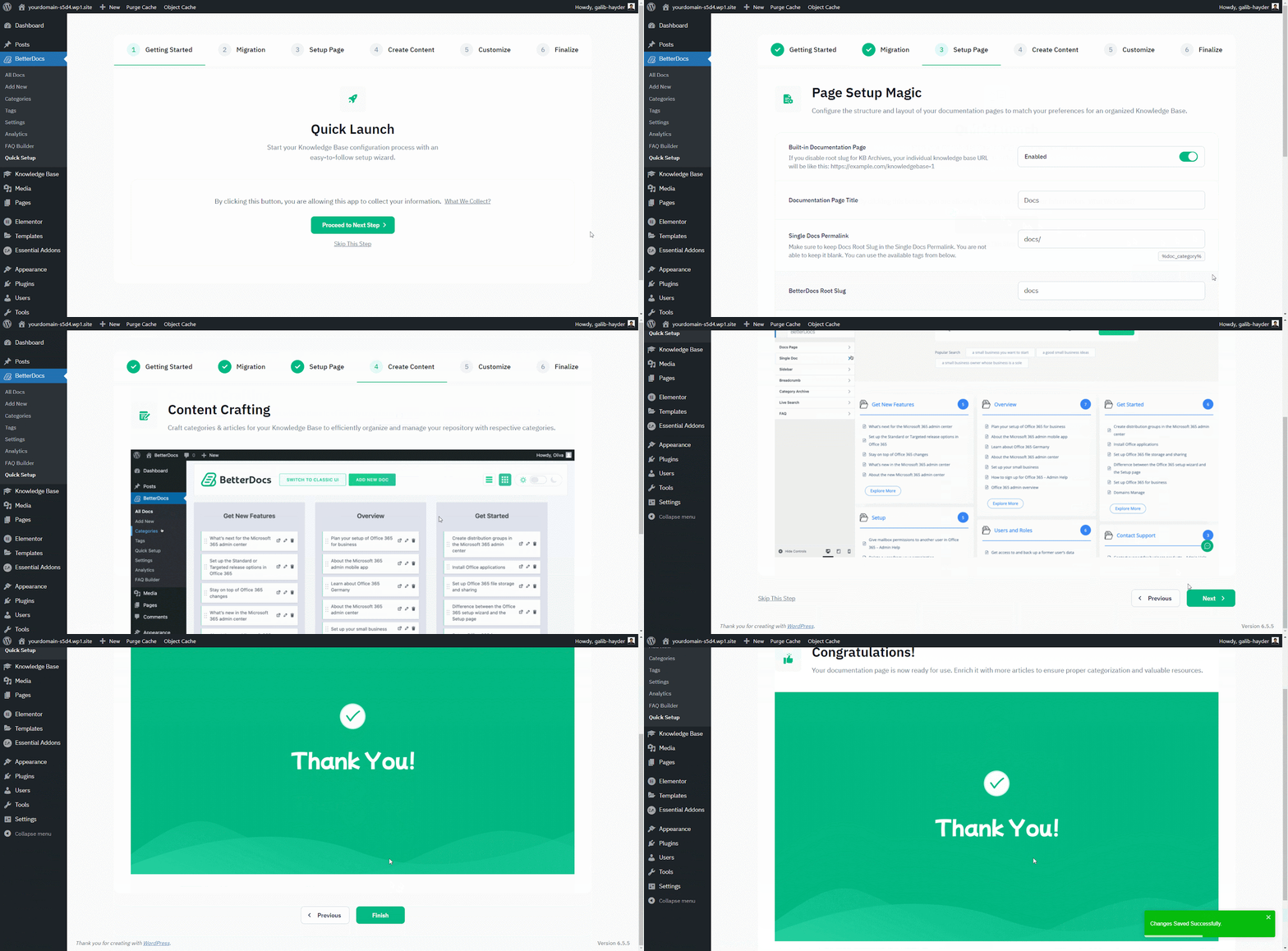
一旦有了 已安装BetterDocs, you will be redirected to the ‘Quick Setup’ 向导。来自 ‘Quick Setup’ wizard, you can simply import your existing knowledge base to BetterDocs with just a few clicks. From the ‘Migration’ tab, mark the checkbox to start your migration from your existing Knowledge Base solution. After you have done that, simply finish all the other steps, and you will be all set to go.
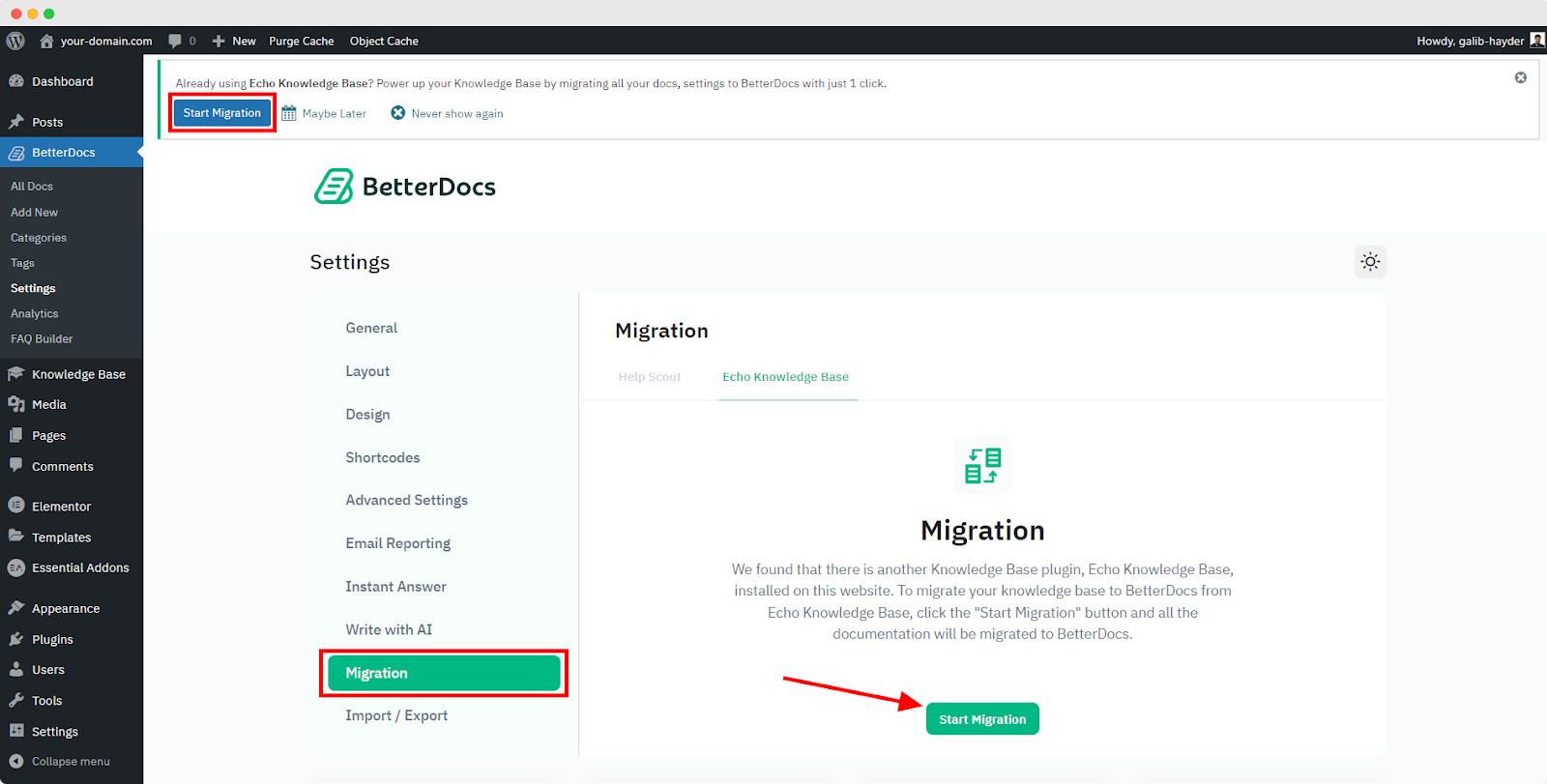
注意: If you missed the migration option from the Quick Setup, you can migrate from the BetterDocs Settings Tab. From Dashboard, go to Setting’ → Migration, and then, click on ‘Start Migration’ button.
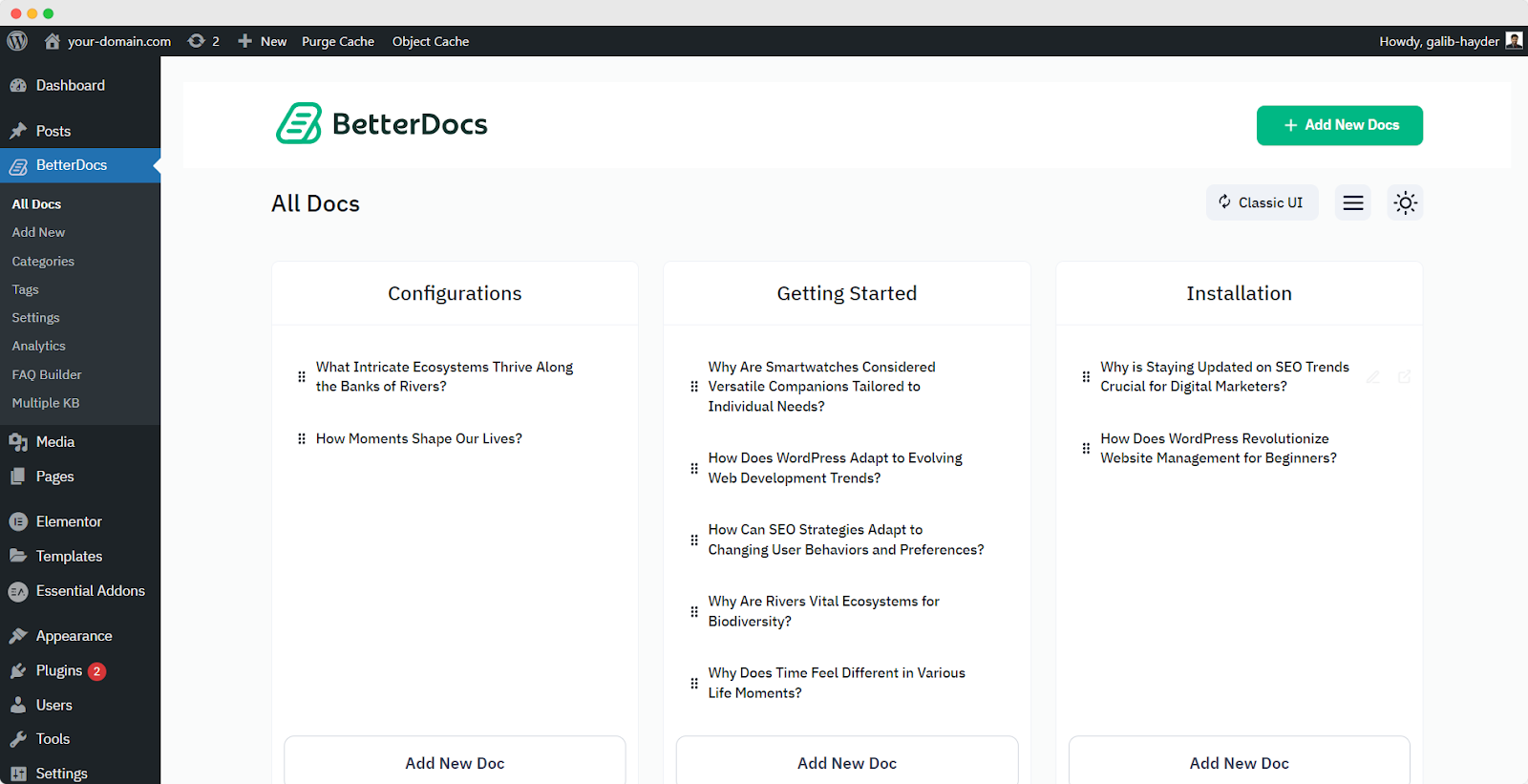
After the migration, all the articles from your previous Knowledge Base plugin will appear in the BetterDocs → All Articles 部分。这是它们的外观:
To avoid any conflict, your existing third-party documentation plugin will be automatically deactivated, and their existing documents will be ready to 迁移到BetterDocs。然后,您可以轻松地 分配类别和标签 to the articles and organize them the way you want.If you want to migrate from other existing Knowledge Base solutions to BetterDocs, check out 本文件 要么 联系我们的支持 以获得更多帮助。


