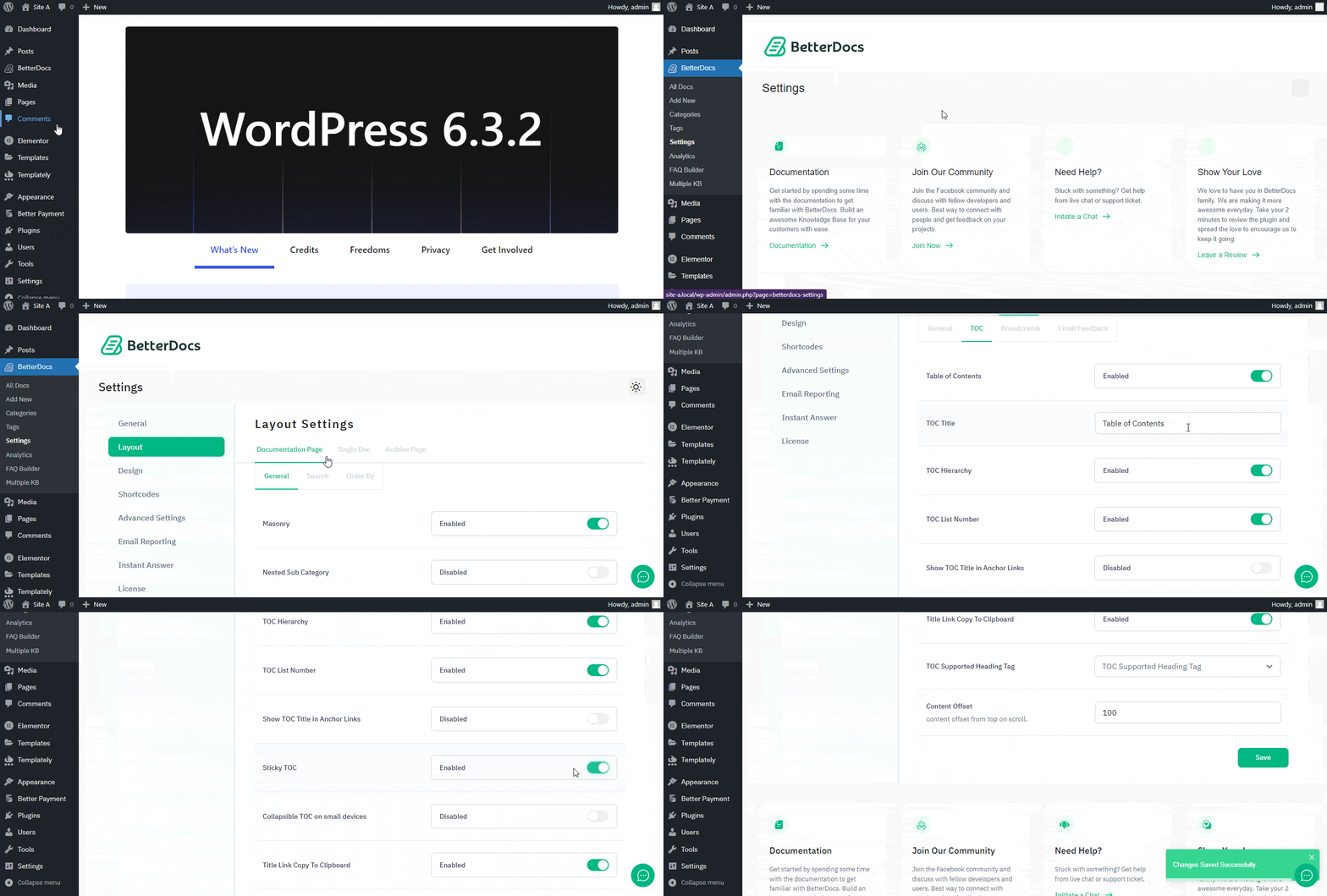
What Is Sticky Table Of Contents (TOC)? How To Enable It? #
TOC stands for Table of Contents. In many instances, you might need to use different Heading Tags inside your Doc. If you use multiple headings, BetterDocs 将在目录(TOC)框内包含标题,这些标题将浮动在文档页面上。
TOC的好处是您的用户可以轻松地在文档内的标题之间来回跳转。
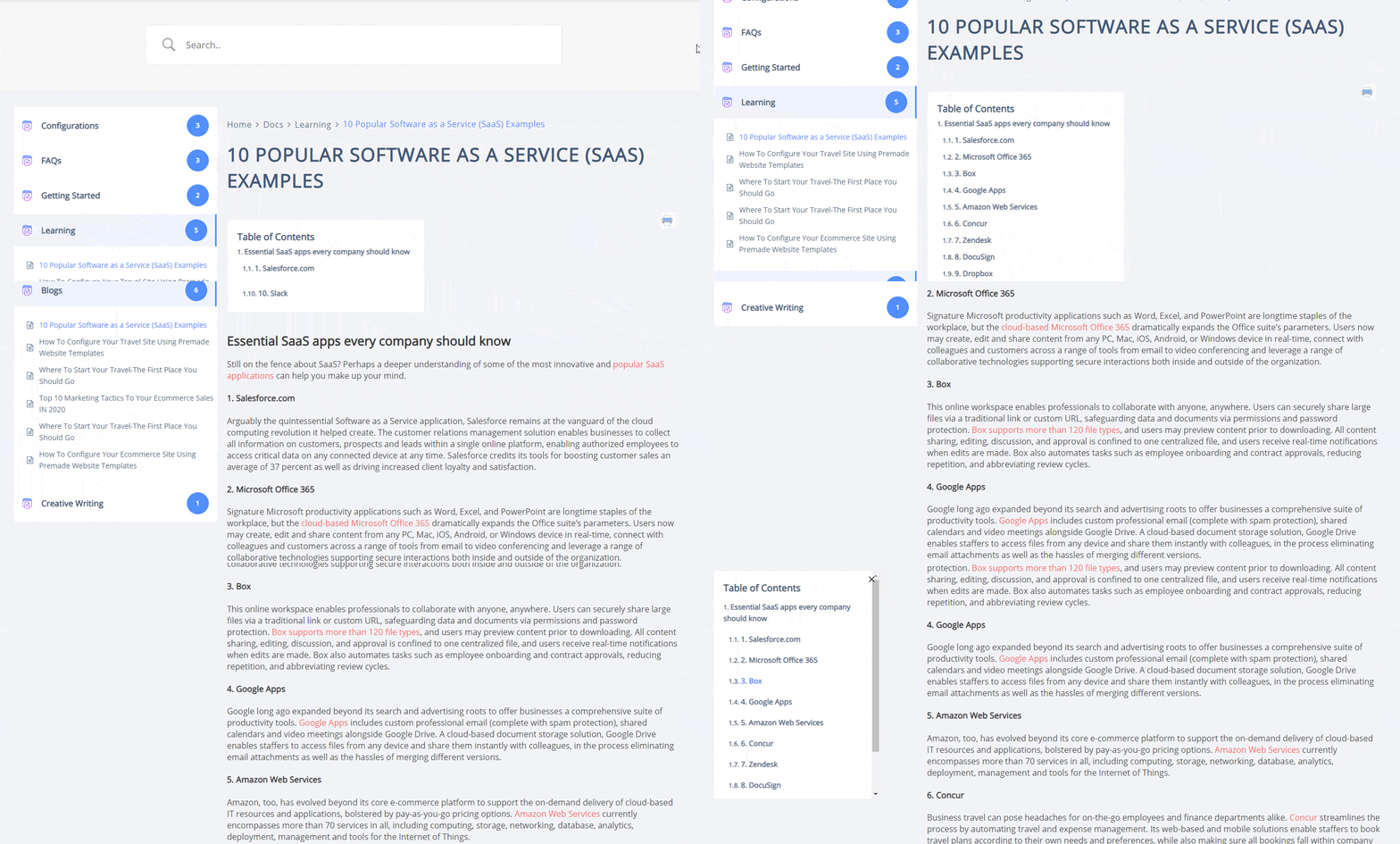
How To Enable BetterDocs TOC? #
To enable the TOC option, first open your WordPress Dashboard and navigate to BetterDocs → Settings → Layout → Single Doc → TOC.从那里确保 to enable Table of Content (TOC) 和 ‘Sticky TOC’.